Close Menu
 World
World
 Biography
 Health
 Education
 Business
 Lifestyle
 Sports
 Technology
 Animals
 History
 Food
Food
 Religious
 Startups
 Movies
 Politics
 Fashion
 Covid
Covid
 Diet
Diet
 Fitness
 Marketing
 Travel
 Science
 Reviews
 Social media
 Stories
 Facts
Facts
 Art
Art
 Entertainment
HARRY EDWARD

Education
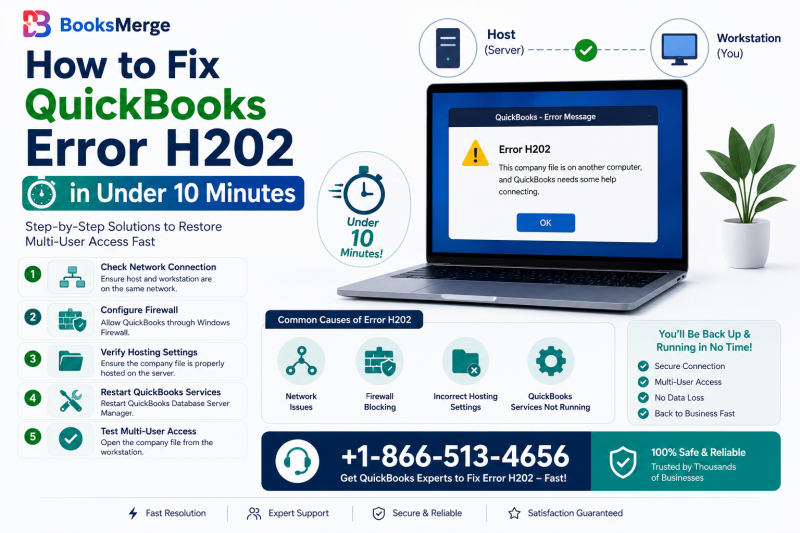
How to Fix QuickBooks Error H202 in Under 10 Minutes
 HARRY EDWARD
Running a business requires teamwork and for accounting teams, that means relying on QuickBooks multi-user mode. Few things disrupt a productive workday faster than seeing a connectivity block on your screen. If you are staring at an error message stating that the software cannot open the company file, you are dealing with one of the most common network QuickBooks error H202.
This displays as a QuickBooks multi-user mode network communication error. This comprehensive troubleshooting guide will explain exactly what this error means, what causes it and how to fix the underlying network issues step by step.
What is QuickBooks Error H202?
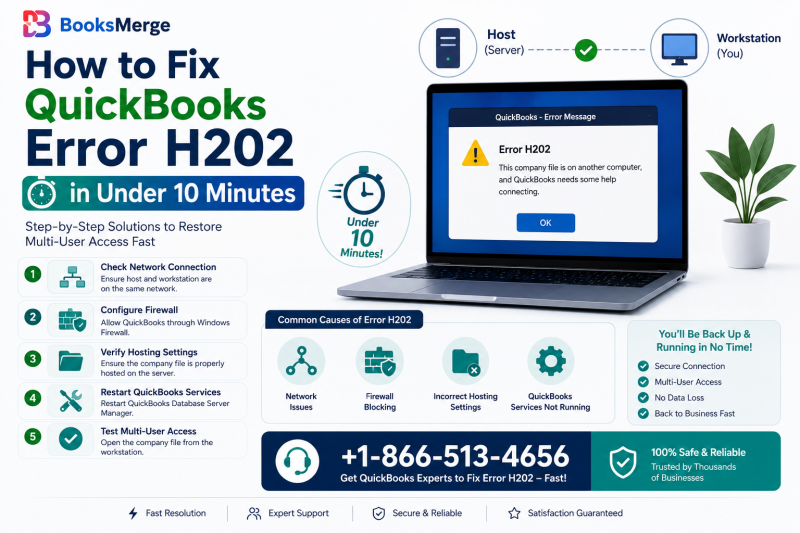
QuickBooks Error H202 indicates that a workstation is trying to access the company file but the host computer or server is refusing or failing to establish a secure connection. QuickBooks uses a multi user structure to prevent data corruption. When a workstation cannot communicate with the data source, the system immediately blocks access to safeguard your financial records.
Why Does QuickBooks Show Error H202?
The core reason behind this breakdown is interrupted network communication. QuickBooks depends on a bidirectional stream of data between the server and user workstations. If anything changes or blocks this stream, such as an aggressive security setting or a corrupted configuration file, the connection fails. The workstation is calling out to the server, but the server is not answering back.
QuickBooks H202: Host Computer vs Workstation Issue
The host computer stores the actual database file, while the workstations run the local interface. This error is fundamentally a cross communication issue between these devices. It is rarely a problem with the local software installation itself. It is an environment issue where the server and workstation are failing to talk to one another over your local network.
What are the Common QuickBooks Error Code H202 Causes?
Below are some of the steps to help identify exactly why your network pipeline broke down. Understanding these root causes makes choosing the right solution much simpler.
- QuickBooks H202 Error Multi-User Mode Failures: Multi-user mode failures occur when network resources are misconfigured. For QuickBooks to share data properly across multiple machines, database services must manage access rights. When these core processes stall or cannot broadcast across the local network, multi-user access collapses which triggers connection errors on client machines.
- QuickBooks Hosting Settings Multi-User Conflict: In a standard setup, only the server should have hosting capabilities enabled. If an employee accidentally turns hosting on at their individual workstation, that machine begins acting like a server. This creates a logical conflict on the network, confusing the database and cutting off access for other users.
- QuickBooks DNS Hostname Resolution Failure: Computers use Domain Name System (DNS) protocols to translate a server's name into a numerical IP address. If your office router or server undergoes a change, a QuickBooks DNS hostname resolution failure H202 occurs. This means the workstation is looking for the server under an outdated or incorrect network map, resulting in a dead end.
- QuickBooks Version Mismatch on Host and Workstations: Every computer accessing the shared company data must run the exact same year version and release update of QuickBooks. A QuickBooks version mismatch H202 host workstation conflict happens if your host computer was updated to the latest release over the weekend, but a workstation is still running an older patch. Consequently, the server will reject the connection to prevent database structural conflicts.
QuickBooks H202 on All Computers vs. One Workstation
Before editing your network settings, take a moment to analyze the scope of the problem. Finding a QuickBooks error h202 on all computers fix depends on whether the issue is widespread or completely isolated. This quick test saves hours of troubleshooting:
- If the error occurs on ALL workstations: The root cause lies entirely on your server computer, your router, or your global network firewall. Focus your troubleshooting efforts on the host server.
- If the error occurs on only ONE workstation: The server is working perfectly fine. The issue is isolated to that specific computer's firewall settings, network cables, or local configuration.
How to Fix QuickBooks Error H202?
Follow these practical, detailed solutions in order until your connection is successfully restored.
Solution 1: Turn QuickBooks Hosting Settings Workstation OFF
This step fixes hosting conflicts, especially when you have QuickBooks H202 hosting settings turned on workstation machines by mistake.
- Launch QuickBooks on the workstation experiencing the error.
- Go to the top menu bar and click on File.
- Hover your mouse over Utilities.
- If you see Host Multi-User Access, do not click it. This workstation is already set correctly. If you see Stop Hosting Multi-User Access, click it immediately to disable it.
- Close QuickBooks on the workstation.
- Go to your main server computer, open QuickBooks and go to File > Utilities.
- Ensure that the server reads Stop Hosting Multi-User Access. If it says Host Multi-User Access, click it to turn it on.
Solution 2: Scan Your Company File with QuickBooks Database Server Manager
The Database Server Manager tool repairs damaged background files and configures folder permissions so workstations can browse files remotely.
- Go to your host server computer and open the official QuickBooks Tool Hub.
- Select the Network Issues tab from the menu.
- Click on QuickBooks Database Server Manager.
- Inside the window, click the Browse button and select the exact folder where your company files are stored. Initiating a QuickBooks Database Server Manager scan H202 routine helps resolve hidden folder permission blocks.
- Click Start Scan.
- Once finished, it will display a success message indicating that firewall ports have been optimized and network descriptor files have been configured.
Solution 3: Restart QBCFMonitorService and QBDBMgrN in Services.msc
In case the underlying Windows background operations stall, you might encounter a QBCFMonitorService QBDBMgrN not running H202 state where your workstations lose their connection gateway. You can manually restart these via the Windows control console.
- Navigate to the host server.
- Press the Windows Key + R together on your keyboard to open the Run box.
- Type services.msc into the text field and press Enter.
- Scroll down through the alphabetical list to find QuickBooksDBXX.
- Check the Status column. If it is not running, right-click it and choose Start. If it is running, right-click it and select Restart.
- Right-click the service again, select Properties and change the Startup Type drop-down menu to Automatic.
- Locate QBCFMonitorService in the list and repeat the exact same configuration steps.
Solution 4: Create Windows Firewall Exceptions for Ports 8019, 56728, and 55378
Security software mistakes QuickBooks database traffic for an unauthorized intrusion. Setting up these firewall ports 8019 56728 55378 exception fixes this network block.
- Open the Windows Start Menu.
- Type Windows Firewall into the search bar and select it.
- Click on Advanced Settings present on the left panel.
- Right-click on Inbound Rules and choose New Rule.
- Select Port and click Next. Ensure TCP is selected.
- In the Specific local ports field, copy and enter the required ports depending on your version. This ensures 8019, 56728 and 55378 are included. Click Next.
- Select Allow the Connection and hit Next.
- Check all boxes, name the rule QuickBooks Inbound Ports and click Finish.
- Right-click on Outbound Rules, choose New Rule and repeat the exact same configuration steps for the outbound traffic.
Solution 5: Use QuickBooks File Doctor to Repair Network Damage
In case manual configurations fail, run the QuickBooks File Doctor H202 fix through Intuit's automated diagnostic tool.
- Open the QuickBooks Tool Hub on the affected workstation or server.
- Navigate to the Company File Issues tab.
- Click on the Run QuickBooks File Doctor button.
- Choose the company file from the menu or click browse to find it.
- Select the option that reads Check your file and network. Enter your admin password when prompted.
- Let the tool run completely. It will analyze your local configuration, correct IP address faults and repair corrupted company data access paths.
Tip: In case you are experiencing a connection drop following a system update, do a routine check as operating system updates frequently alter internal security settings.
Why Am I Getting QuickBooks H202 Error After an Update?
When Windows installs major system updates, it resets firewall rules. It also changes network sharing permissions or shifts your network profile from Private back to Public. When such things happen, Windows blocks incoming database traffic from your workstations, interpreting it as an unsafe external connection.
Tips to Prevent QuickBooks Error H202 and Multi-User Issues
To keep your office network running smoothly and avoid future accounting disruptions, use these proactive network management habits:
- Assign a Static IP Address: Configure your main host server to use a static internal IP address rather than a dynamic one. This prevents your router from altering the server's path during unexpected power cycles.
- Use Gigabit Wired Ethernet Connection: While Wi-Fi is highly convenient, it is prone to micro-disconnects. Using wired network cables for your accounting machines minimizes data drops and connection errors.
- Coordinate Program Updates: Always assign an administrator to manage software updates. Ensure that when the server receives a patch, all employee workstations are updated immediately before anyone attempts to open the database.
- Keep a Dedicated Hosting Machine: Avoid using the host computer as an everyday workstation if possible. Leaving the server as a reliable data machine prevents employees from accidentally changing background services or shutting down the machine mid-day.
The Bottom Line!
Facing a network error can be really frustrating, especially when you have a workload. It is manageable once you know how the communication pipeline works. Ensure all the hosting parameters are correct, repair the background Windows services and open up your network firewall channels. One can establish a stable link between office workstations and company records. Take all the steps in order to confirm the network settings and your team will be back to balance the QuickBooks error H202 securely in no time.
Faqs
What causes QuickBooks Error H202 and why does it happen?
QuickBooks Error H202 occurs when the QuickBooks Desktop application on a workstation is not able to make a connection with the company file hosted on another server or computer. This multi-user hosting error is most triggered by incorrect hosting settings, where more than one computer is trying to host the file or by a rigid Windows Firewall blocking the communication.
How can I quickly fix QuickBooks Error H202 without losing data?
To resolve QuickBooks Error H202 quickly and safely, start by running the QuickBooks Database Server Manager through the official QuickBooks Tool Hub to scan and repair the network path. If that does not work, verify your hosting settings by ensuring that Host Multi-User Access is turned off on all workstation computers while remaining turned on exclusively on the main server.
Does Windows Firewall trigger QuickBooks Multi-User Error H202?
A misconfigured Windows Firewall or third-party antivirus software is one of the primary culprits behind QuickBooks Multi-User Error H202. When firewall security rules are too restrictive, they block the incoming and outgoing network ports that QuickBooks requires to communicate across multiple computers.
Can I use the QuickBooks Tool Hub to resolve network error H202?
The QuickBooks Tool Hub is effective at diagnosing and fixing network error H202 because it contains dedicated troubleshooting utilities designed for network issues. Navigate to the Network Issues tab within the Tool Hub and launch the QuickBooks Program Diagnostic Tool. The software automatically scans the server configuration, repairs broken registry paths and resets vital background services.
When should I change hosting settings on my server to fix Error H202?
Multi-user configurations are a root cause of this issue. In a standard QuickBooks network setup, only the central server hosting the actual company file should have multi-user hosting enabled, while every individual workstation must have it completely disabled. If a workstation accidentally has this feature turned on, it creates a severe network conflict because multiple machines are competing to host the same database.
Source:
Click for the: Full Story
You might like