


 Close Menu
 World
 Biography
 Health
 Education
 Business
 Lifestyle
 Sports
 Technology
 Animals
 History
 Food
 Religious
 Startups
 Movies
 Politics
 Fashion
 Covid
 Diet
 Fitness
 Marketing
 Travel
 Science
 Reviews
 Social media
 Stories
 Facts
 Art
 Entertainment
Silhouette America

Business
How to Create Custom Labels for Holiday Gifts and Homemade Products
 Silhouette America
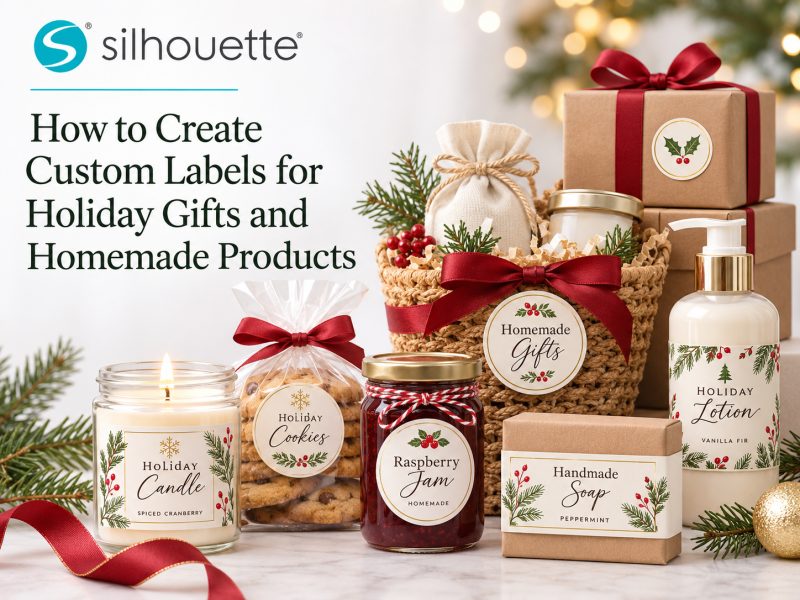
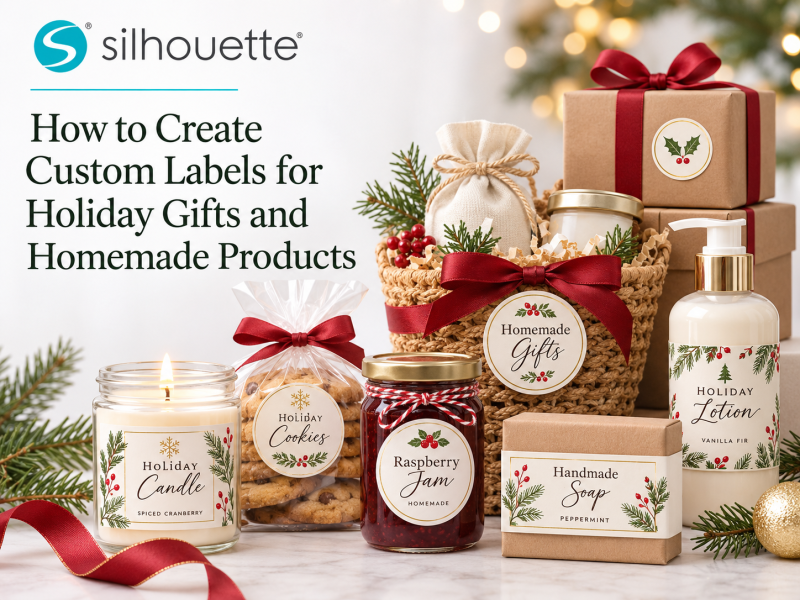
A great label can make a homemade product feel more polished and a holiday gift feel more personal. Whether you're packaging candles, baked goods, soaps, handmade gifts, or seasonal treats, a well-designed label adds a finishing touch while helping customers recognize your brand.
You don't need expensive commercial printing equipment to create attractive labels in small batches. With a Silhouette cutting machine, Silhouette Studio®, and digital designs from the Silhouette Design Store, you can create custom labels that match your products and holiday style.
Here's how to get started.
Why Create Your Own Custom Labels?
Creating labels yourself gives you more control over:
- Branding
- Colors
- Fonts
- Product information
- Names
- Holiday messages
- Label shapes
It also makes it easier to produce small quantities.
Instead of ordering hundreds of identical labels, you can create what you need for a seasonal collection, limited edition, or personalized order.
Step 1: Decide What Your Label Needs to Say
Start with the information that belongs on the label.
For a holiday gift, you might use:
- Recipient name
- “Made with Love”
- Holiday greeting
- Gift message
For a homemade product, you might include:
- Product name
- Brand name
- Flavor or scent
- Short description
- Batch information
- Other information appropriate to the product
Keep the most important information easy to read.
Step 2: Choose a Label Shape
Your label doesn't have to be a basic rectangle.
Try:
- Circles
- Ovals
- Rounded rectangles
- Scalloped edges
- Leaves
- Snowflakes
- Simple custom shapes
Choose a shape that fits the container or packaging where you'll apply it.
For example, round labels work well on jar lids, while rectangular labels may be better for boxes and bottles.
Step 3: Select Fonts and Digital Designs
Typography plays an important role in label design.
Choose fonts that match your product's personality.
For example:
- Elegant fonts for candles or gift sets
- Handwritten fonts for handmade treats
- Bold fonts for playful holiday products
- Clean fonts for modern branding
The Silhouette Design Store provides fonts, cut files, patterns, and decorative digital designs that can help you build your label.
You can combine a font with seasonal artwork such as:
- Snowflakes
- Holly
- Christmas trees
- Stars
- Leaves
- Pumpkins
- Simple ornaments
Step 4: Customize the Label in Silhouette Studio®
Open your design in Silhouette Studio® and begin creating your label layout.
You can:
- Add text
- Resize graphics
- Create offsets
- Align elements
- Modify shapes
- Combine multiple designs
- Adjust spacing
For example, a simple holiday label could feature:
HANDMADE WITH LOVE
with a small snowflake underneath and your business name at the bottom.
Keep the design simple enough that it remains readable at its final size.
Step 5: Choose the Right Label Material
Your material should match the product and intended use.
Depending on your project, you might use:
- Adhesive label paper
- Printable sticker paper
- Printable vinyl
- Cardstock
- Specialty label materials
For products that may encounter moisture, choose a material appropriate for the environment and follow the manufacturer's recommendations.
Always test your chosen material before producing a large batch.
Step 6: Create Holiday Gift Labels
Holiday gift labels are a simple way to personalize presents.
Create labels featuring:
- “For” and “From”
- Recipient names
- Holiday greetings
- Seasonal graphics
- Personalized messages
You can create several coordinated designs using the same font and color palette.
For example:
Merry Christmas, Emma!
or
Made Especially for You
Attach the labels to gift boxes, bags, jars, or homemade treats.
Step 7: Create Labels for Homemade Products
Small businesses can use custom labels to make handmade products look more professional.
Ideas include labels for:
- Candles
- Soaps
- Baked goods
- Jams
- Gift baskets
- Handmade décor
- Holiday treats
Create a reusable label template and change the product name, scent, flavor, or other details as needed.
This makes it easier to maintain consistent branding across your product range.
Step 8: Use Print & Cut for Colorful Labels
For labels that include illustrations, multiple colors, or detailed artwork, a compatible Print & Cut workflow can be especially useful.
You can print your complete label artwork and then have your Silhouette machine cut around the finished shapes.
This is ideal for:
- Illustrated product labels
- Holiday stickers
- Logo labels
- Decorative packaging
- Gift seals
Make a Coordinated Holiday Collection
Instead of creating one label design, consider building a complete seasonal collection.
Use matching:
- Fonts
- Colors
- Graphics
- Label shapes
across your:
- Product labels
- Gift tags
- Packaging stickers
- Thank-you cards
- Box sleeves
This creates a consistent visual identity and makes your products look more professionally planned.
Tips for Better Custom Labels
Keep these tips in mind:
- Keep important information readable.
- Choose fonts that match your product style.
- Test the label size on your actual packaging.
- Use high-contrast text for better readability.
- Test materials before making a full batch.
- Save reusable templates for future products.
- Leave enough space around important text and graphics.
If you're selling homemade products, make sure your labels meet any applicable labeling, safety, or regulatory requirements for your product and location.
Can You Sell Custom Labels?
Custom labels can also become a product themselves.
You could create personalized labels for:
- Small businesses
- Holiday gifts
- Wedding favors
- Party products
- Homemade goods
- Gift baskets
Use Silhouette Studio® to create reusable templates and customize them for different customers.
The Silhouette Design Store can provide digital artwork and fonts for inspiration, but always review applicable licensing terms before selling products made using purchased designs.
Final Thoughts
Custom labels are a simple way to make gifts and homemade products look more personal and professional.
With a Silhouette cutting machine, Silhouette Studio®, and creative resources from the Silhouette Design Store, you can design labels that match your products, personalize gifts, and build a consistent holiday brand.
Start with a simple shape, choose a readable font, add a seasonal design, and test your label on the actual packaging.
Whether you're labeling one homemade gift or preparing hundreds of products for the holiday season, a thoughtfully designed label can turn a simple package into something that feels truly special.
Source:
Click for the: Full Story
You might like








You Might Like this