



 Close Menu
 World
World
 Biography
 Health
 Education
 Business
 Lifestyle
 Sports
 Technology
 Animals
 History
 Food
Food
 Religious
 Startups
 Movies
 Politics
 Fashion
 Covid
Covid
 Diet
Diet
 Fitness
 Marketing
 Travel
 Science
 Reviews
 Social media
 Stories
 Facts
Facts
 Art
Art
 Entertainment
Cellular Port

Business
If My Screen Protector Is Cracked Should I Take It Off at Home?
 Cellular Port
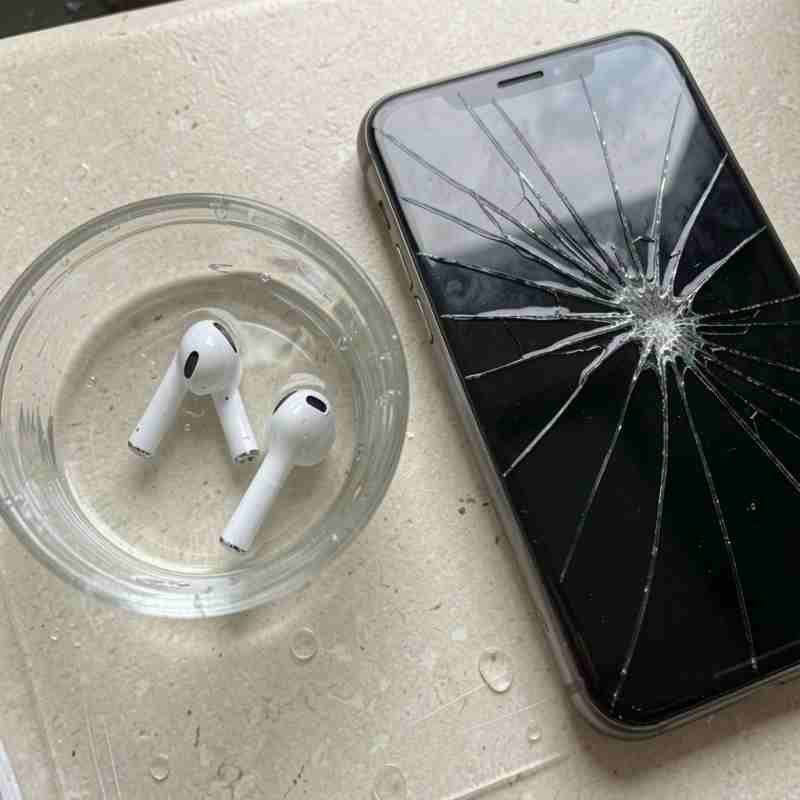
If you have noticed cracks across your screen protector, you may be wondering, If My Screen Protector Is Cracked Should I Take It Off at home or leave it on until you can replace it. A cracked screen protector can look alarming, but in many situations, the protector has done exactly what it was designed to do: absorb an impact and help protect the phone's actual display.
However, not every cracked screen protector should remain on your device. Severe cracks, sharp edges, loose pieces, and lifting corners can make the protector uncomfortable and potentially unsafe to handle. A damaged protector can also make it difficult to use the touchscreen or see the display clearly.
The good news is that removing a screen protector at home is usually possible if you approach the process carefully. You do not need complicated equipment, but you should avoid sharp metal objects and excessive force. If the protector is badly shattered or you suspect that the actual phone screen is damaged underneath, professional assistance may be the safer option.
This guide explains when to remove a cracked screen protector, how to remove it safely at home, what to check afterward, and when a phone repair shop can help.
Why Do Screen Protectors Crack?
Screen protectors are designed to take some of the abuse that would otherwise reach your phone display. When your phone falls, gets bumped, or experiences pressure, the protector can absorb some of the impact.
Tempered glass screen protectors are especially likely to crack when they experience a strong impact. This does not necessarily mean your phone screen is damaged.
Common reasons a screen protector cracks include:
- Dropping the phone
- Hitting the phone against a hard surface
- Pressure inside a pocket or bag
- Bending or twisting the device
- Impact around the corners
- Existing scratches or weakened areas
- Poor-quality protective glass
- Improper installation
- Pressure from an incompatible phone case
Sometimes a protector can crack even when the phone has not experienced a noticeable drop. Repeated pressure or an impact that happened earlier can weaken the protective glass over time.
If My Screen Protector Is Cracked Should I Take It Off?
If you are asking, If My Screen Protector Is Cracked Should I Take It Off, the answer depends on how severe the damage is.
A small crack does not always require immediate removal. If the protector is firmly attached, has no sharp edges, and does not interfere with touchscreen operation, it can temporarily remain in place until you obtain a replacement.
However, you should consider removing it when the damage becomes significant.
A cracked protector should generally be replaced if:
- Cracks cover a large portion of the glass.
- The edges have become sharp.
- Pieces of glass are loose.
- The protector is lifting from the screen.
- Dust is collecting underneath the edges.
- Touch sensitivity has changed.
- The display is difficult to see.
- The protector is uncomfortable to use.
- Another impact could cause the protector to break further.
If the protector is severely damaged, leaving it on for an extended period does not provide the same level of protection as an intact protector.
Does a Cracked Screen Protector Mean the Phone Screen Is Damaged?
No. This is one of the most important things to understand.
A screen protector is an additional layer placed over the actual display. If the protector cracks after an impact, it may have absorbed much of the force and protected the phone screen underneath.
For example, you might drop your phone face-down and discover a large crack across the tempered glass protector. After removing it, you may find that the original display is completely smooth and functional.
This is why you should not assume that your phone needs a screen replacement simply because the protector is cracked.
At the same time, the phone screen can sometimes be damaged along with the protector. After removing the damaged protective glass, inspect the actual display carefully.
Look for:
- Cracks in the display glass
- Black spots
- Colored lines
- Flickering
- Dead touchscreen areas
- Ghost touches
- Display discoloration
- Uneven brightness
- Damage around the edges
If these symptoms are present, the issue may go beyond the screen protector.
Is It Safe to Remove a Cracked Screen Protector at Home?
In many cases, yes.
A screen protector is designed to be removable, and most protectors can be carefully peeled away from the phone. The main concern is avoiding additional damage to the device and avoiding contact with broken glass.
If the protector has only a few small cracks, home removal is usually straightforward.
If it is heavily shattered into many small pieces, you should be more cautious. Broken tempered glass can have sharp edges, and forcing it off quickly can cause fragments to separate.
If you do not feel comfortable handling the damaged protector, visiting a professional phone repair shop is a sensible alternative.
What You Need to Remove a Cracked Screen Protector
You generally do not need specialized tools.
For a typical screen protector removal, you may need:
- A clean microfiber cloth
- Your fingernail
- A plastic card or non-metallic pick
- Clear adhesive tape
- A clean, well-lit workspace
- A replacement screen protector
Avoid using:
- Razor blades
- Knives
- Needles
- Metal screwdrivers
- Scissors
- Other sharp metal objects
These tools can scratch the phone or damage components around the display.
How to Remove a Cracked Screen Protector at Home
If the protector is suitable for home removal, follow these steps carefully.
Step 1: Clean Your Hands
Wash and dry your hands before handling the phone.
Clean hands provide a better grip and reduce the amount of dirt and oil that can transfer to the device.
If the protector is badly shattered, consider using thin protective gloves.
Step 2: Turn Off the Phone
Power off the phone before removing the protector.
This is a simple precaution and also makes it easier to inspect the display afterward.
Step 3: Inspect the Protector
Look carefully at the protector before touching it.
Identify the least-damaged corner or edge. If one corner is already slightly lifted, it may be the easiest place to begin.
Do not press hard on the cracked glass while looking for an edge.
Step 4: Cover Severe Cracks With Tape
If the tempered glass is heavily cracked, place a strip of clear adhesive tape over the damaged surface.
The tape can help hold broken pieces together during removal and reduce the movement of loose fragments.
Avoid pressing the tape aggressively against the screen.
Step 5: Lift a Corner
Use your fingernail to gently lift a corner.
If your fingernail cannot reach the edge, use a thin plastic tool designed for electronics.
Do not use a razor blade or other metal tool.
Step 6: Peel Slowly
Once you have lifted the edge, slowly peel the protector away.
Keep the angle relatively shallow instead of pulling it sharply upward.
Slow removal gives you greater control and reduces the chance of the protector breaking into additional pieces.
Step 7: Remove the Entire Protector
Continue peeling carefully across the display.
If resistance increases, stop and work on the edge gradually instead of pulling harder.
Once the protector is completely detached, place it somewhere safe.
Step 8: Dispose of the Broken Protector
Do not leave broken tempered glass on a desk, floor, or other open surface.
Wrap it securely before disposing of it so that loose fragments do not cause accidental injuries.
What Should You Do After Removing the Protector?
Do not immediately install a new protector without checking the phone first.
Clean the display gently using a microfiber cloth. Make sure the surface is free from dust, fingerprints, and adhesive residue.
Then inspect the actual display.
Test the touchscreen by opening different applications and swiping across different areas of the screen. Try typing on the keyboard and tapping icons around the edges.
Also check the display for visual abnormalities.
If everything looks normal, you can install a replacement screen protector.
How to Tell If You Need Screen Repair
Sometimes removing the protector reveals damage that was hidden underneath.
You may need professional phone screen repair if you notice:
Cracks in the Actual Display
If cracks remain visible after the protector is removed, the phone's original screen may be damaged.
Unresponsive Touch
If some parts of the screen no longer respond to your finger, the display assembly may have suffered impact damage.
Black Spots
Black areas can indicate damage to the display panel underneath the glass.
Lines Across the Screen
Vertical, horizontal, or colored lines can indicate display damage.
Flickering
A display that flashes or flickers after a drop should be professionally inspected.
Ghost Touches
If the phone begins opening applications, typing characters, or responding without you touching it, the touchscreen may be damaged.
A new screen protector cannot correct these problems. Professional diagnosis may be necessary.
Can You Put a New Screen Protector on Immediately?
Yes, provided that the actual phone screen is clean, intact, and functioning normally.
Before installation, make sure:
- The old protector is completely removed.
- There is no adhesive residue.
- The screen is clean.
- The display has no obvious damage.
- The replacement protector matches your phone model.
Dust particles can create bubbles underneath a new protector, so work in a clean environment.
Follow the installation instructions supplied with your replacement protector.
Choosing the Right Replacement Screen Protector
Not all screen protectors are identical.
Tempered glass protectors are popular because they provide a smooth surface and can help absorb minor impacts. Flexible film protectors can also provide scratch protection while maintaining a thin profile.
When choosing a replacement, consider:
- Compatibility with your phone model
- Glass hardness
- Edge coverage
- Touch sensitivity
- Screen clarity
- Case compatibility
- Installation method
- Overall build quality
A protector that does not fit correctly can lift around the edges or interfere with a phone case.
Can a Phone Case Cause a Screen Protector to Crack?
Yes, an incompatible case can sometimes contribute to protector damage.
If the case presses against the edges of the protector, it can cause the glass to lift. Continued pressure may eventually result in cracks.
After installing a new protector, place the case on the phone carefully. Check whether the case touches or pushes against the protector.
If the edges begin lifting immediately after installing the case, the two accessories may not be compatible.
Choosing a case-compatible screen protector can help prevent this problem.
Should You Leave a Cracked Screen Protector on Overnight?
If the protector has a small crack and remains firmly attached, there is generally no urgent reason to remove it immediately.
However, if the protector has sharp edges, loose pieces, or extensive cracks, it is better to remove it carefully rather than continue handling a severely damaged surface.
If you cannot safely remove it yourself, store the phone carefully and have a technician remove the protector.
What If the Screen Protector Is Completely Shattered?
A completely shattered protector requires extra caution.
Do not run your fingers across the glass looking for a loose corner. Instead, place clear tape over the damaged surface to help hold fragments together.
Then attempt slow removal only if you are comfortable doing so.
If the glass is extremely fragmented or the protector is firmly attached, professional removal is safer.
A repair technician can remove the damaged protector while also checking the phone's actual screen for impact damage.
Common Mistakes to Avoid
Removing a cracked screen protector is relatively simple, but several mistakes can create unnecessary problems.
Using Sharp Tools
Never use a razor or knife simply because it makes it easier to get underneath the protector. A sharp object can scratch the display.
Pulling Too Fast
A quick pull can cause damaged glass to break apart.
Applying Too Much Pressure
Do not push hard against the phone screen while attempting to lift the protector.
Ignoring Broken Edges
Sharp edges should not be handled casually.
Reusing a Damaged Protector
Once a glass protector has cracked, replacing it is better than trying to reinstall it.
Installing a New Protector Over the Old One
Always remove the damaged protector first. Two layers can create bubbles, poor adhesion, and touch issues.
How to Prevent Future Screen Protector Damage
A replacement protector can provide another layer of protection, but your everyday habits also matter.
Use a protective phone case with raised edges around the display. Avoid placing your phone face-down on rough surfaces.
Keep the phone separate from keys, coins, and other hard objects.
Do not place heavy items on top of the phone inside a backpack or bag.
If you frequently drop your phone, consider using a more protective case designed to absorb impact.
Remember that a screen protector is not completely impact-proof. Its purpose is to reduce the risk of damage, not to make the phone indestructible.
When Should You Visit a Professional Repair Shop?
You can often remove a lightly cracked screen protector at home. However, professional help is recommended if you are dealing with severe damage or are unsure whether the actual display is affected.
Visit a phone repair shop if:
- The actual display is cracked.
- The touchscreen is malfunctioning.
- The display is flickering.
- Black spots have appeared.
- The phone has suffered a major impact.
- The screen protector is dangerously shattered.
- The phone frame is bent.
- The display is separating from the frame.
- You are uncomfortable removing the damaged protector.
A professional technician can safely remove the protector and inspect the phone.
At CellularPort, customers can get assistance with a wide range of electronic repair needs. The repair service covers phones and other devices, including tablets, laptops, computers, and gaming consoles.
Getting your device checked early can help identify problems before they become more difficult or expensive to address.
Why Professional Inspection Can Be Helpful
A cracked screen protector may appear to be the only problem, but a strong impact can sometimes affect the phone underneath.
A professional technician can check:
- Display condition
- Touchscreen response
- Phone frame
- Charging functionality
- Cameras
- Buttons
- Speakers
- Other visible signs of impact damage
This is particularly useful when the phone was dropped hard enough to crack the protector.
Instead of guessing whether your phone needs repair, you can have the device evaluated and receive a better understanding of the problem.
Final Thoughts
So, If My Screen Protector Is Cracked Should I Take It Off at home? In many cases, you can, provided the protector is not severely shattered and you feel comfortable removing it carefully.
A small crack does not automatically mean the phone screen underneath is damaged. In fact, the protector may have absorbed the impact and protected the original display.
If the protector has become heavily cracked, sharp, loose, or difficult to use, replacement is usually the better choice. Turn off your phone, identify a safe edge, avoid sharp metal tools, and peel the protector slowly. For severely shattered glass, covering the surface with tape before removal can help keep loose fragments together.
After removing the protector, inspect the actual display carefully. Test the touchscreen and look for cracks, black spots, lines, flickering, discoloration, or other unusual behavior.
If the phone screen is intact and working normally, installing a new screen protector should restore an additional layer of protection. If the actual display is damaged, however, a professional phone screen repair may be necessary.
CellularPort provides quick and lasting repair solutions for phones, laptops, tablets, and consoles at affordable prices. Whether you only need help with a damaged screen protector or your phone has suffered more serious damage, professional assistance can help you make the right repair decision and keep your device working reliably.
Source:
Click for the: Full Story
You might like








You Might Like this