


 Close Menu
 World
 Biography
 Health
 Education
 Business
 Lifestyle
 Sports
 Technology
 Animals
 History
 Food
 Religious
 Startups
 Movies
 Politics
 Fashion
 Covid
 Diet
 Fitness
 Marketing
 Travel
 Science
 Reviews
 Social media
 Stories
 Facts
 Art
 Entertainment
Nick

Business
QuickBooks Error PS038: Causes, Symptoms, and 10 Easy Ways to Fix It
 Nick
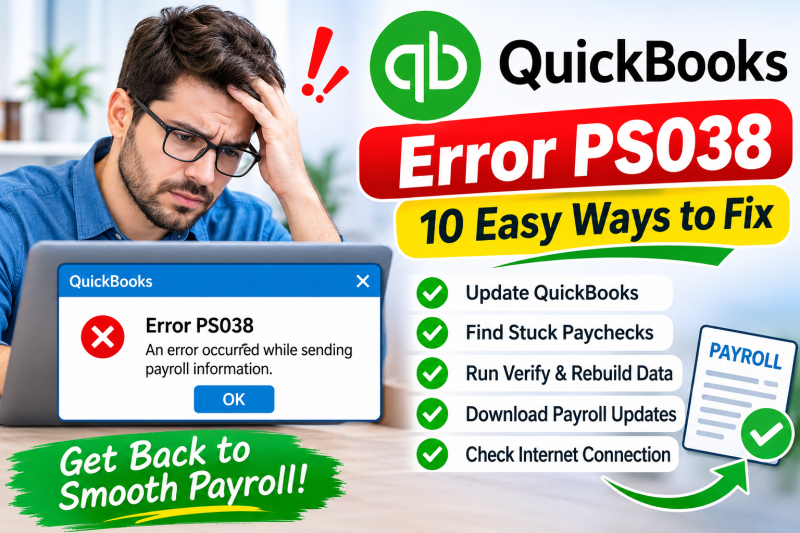
QuickBooks Error PS038 is a common payroll-related issue that can occur when users try to send payroll data or update payroll information in QuickBooks Desktop. This error often appears when paychecks remain stuck in the system with a status such as Online to Send. As a result, users may experience problems submitting payroll data, updating tax tables, or processing payroll-related tasks.
Understanding the causes of QuickBooks Error PS038 is important for resolving the issue without affecting payroll records. In this guide, we will explain the common reasons behind this error and provide practical troubleshooting methods to help restore normal payroll functionality.
What Is QuickBooks Error PS038?
QuickBooks Error PS038 generally occurs when QuickBooks Desktop cannot successfully transmit payroll information to the payroll service. One common reason is that one or more paychecks are stuck in the Online to Send status.
When this happens, QuickBooks may prevent users from completing payroll updates or sending payroll information. The issue can interrupt regular accounting activities and create delays in payroll processing.
Before attempting any troubleshooting method, create a backup of your company file to protect important financial and employee records.
Common Causes of QuickBooks Error PS038
Several issues can trigger this payroll error. The most common causes include:
- Stuck Paychecks: Paychecks remain in the Online to Send status instead of being transmitted successfully.
- Damaged Company File: Data corruption can interfere with payroll transactions.
- Incomplete Payroll Transmission: QuickBooks may fail to send payroll information to Intuit servers.
- Outdated QuickBooks Desktop: An older software release may cause payroll processing problems.
- Payroll Update Issues: Missing or incomplete payroll updates can affect payroll functionality.
- Internet Connection Problems: An unstable connection can interrupt payroll data transmission.
- Incorrect Payroll Data: Certain paycheck records may contain inconsistencies that prevent successful processing.
Symptoms of QuickBooks Error PS038
You may notice the following symptoms when this error occurs:
- QuickBooks displays error code PS038.
- Paychecks remain stuck in Online to Send status.
- Payroll updates fail to download.
- Payroll processing becomes unavailable or interrupted.
- Employees' payroll information may not update correctly.
- QuickBooks repeatedly requests payroll updates.
- Payroll tax table downloads fail.
Identifying these symptoms can help you determine whether the issue is related to stuck paychecks or another payroll problem.
10 Easy Ways to Fix QuickBooks Error PS038
Try the following troubleshooting methods in order. Before making changes to paycheck records, create a backup of your company file.
1. Update QuickBooks Desktop
Running an outdated QuickBooks version can cause compatibility and payroll-related problems.
Follow these steps:
- Open QuickBooks Desktop.
- Select the Help menu.
- Choose Update QuickBooks Desktop.
- Open the Update Now tab.
- Select Get Updates.
- Wait for the download to finish.
- Restart QuickBooks Desktop.
- Install the available updates when prompted.
After updating, check whether QuickBooks Error PS038 still appears.
2. Create a Backup of Your Company File
A company file backup protects important accounting and payroll information before troubleshooting.
To create a backup:
- Open QuickBooks Desktop.
- Select the File menu.
- Choose Back Up Company.
- Select Create Local Backup.
- Choose Local Backup.
- Click Next.
- Select a secure backup location.
- Click Save to complete the process.
Keep this backup in a safe location so you can restore your records if necessary.
3. Send Payroll or Usage Data
Sending payroll information can help resolve transmission problems associated with QuickBooks Error PS038.
Follow these steps:
- Open your QuickBooks company file.
- Navigate to the Employees menu.
- Select My Payroll Service.
- Click Send Usage Data.
- If that option is unavailable, select Send Payroll Data instead.
- Open the Send/Receive Payroll Data window.
- Select Send All.
- Enter your payroll service PIN if requested.
- Wait for the transmission to complete.
If the transmission succeeds, try downloading payroll updates again.
If it fails, avoid repeatedly sending the same information and investigate the transmission issue.
4. Find Paychecks Stuck in Online to Send Status
One of the most important troubleshooting steps is identifying paychecks that QuickBooks has not successfully transmitted.
Here is how to find them:
- Open QuickBooks Desktop.
- Select the Edit menu.
- Click Find.
- Open the Advanced tab.
- Under Choose Filter, select Detail Level.
- Choose Summary Only.
- Select Online Status from the Filter list.
- Choose Online to Send.
- Click Find.
QuickBooks will display paychecks that have not been sent successfully.
Note the number of matching transactions and identify the oldest stuck paycheck. Do not immediately delete or modify these transactions.
5. Run the Verify Data Utility
The Verify Data utility helps identify problems within your QuickBooks company file.
Follow these instructions:
- Open QuickBooks Desktop.
- Select the File menu.
- Choose Utilities.
- Click Verify Data.
- Allow QuickBooks to examine your company file.
- Review the results.
If QuickBooks reports no problems, your company file has passed the verification check.
If it identifies data issues, proceed with the Rebuild Data utility.
6. Rebuild Your QuickBooks Company File
The Rebuild Data utility attempts to repair certain company file problems that may contribute to QuickBooks Error PS038.
Follow these steps:
- Open QuickBooks Desktop.
- Select File.
- Choose Utilities.
- Click Rebuild Data.
- Follow the instructions to create a backup if prompted.
- Allow the rebuilding process to finish.
- Select OK when the process is complete.
- Run Verify Data again.
After rebuilding your company file, try downloading payroll updates.
If the error continues, check the remaining stuck paychecks.
7. Toggle the Stuck Paychecks
If rebuilding your company file does not resolve the issue, resetting the affected paycheck details may help.
Intuit recommends toggling stuck paychecks to refresh their online status.
Follow these steps for each affected paycheck:
- Open the stuck paycheck.
- Select Paycheck Detail.
- Under the Earnings section, add the same earnings item that appears last in the list.
- When the Net Pay Locked message appears, select No.
- Check that the tax amounts and net pay have not changed.
- Select OK.
- If a Past Transaction message appears, select Yes.
- Select Save & Close.
- Reopen the same paycheck.
- Open Paycheck Detail again.
- Remove the duplicate earnings item you added.
- Verify that the tax amounts and net pay remain unchanged.
- Save and close the paycheck.
Repeat this process for each stuck paycheck.
Important: Do not change employee earnings, deductions, taxes, or net pay. If the amounts change unexpectedly, stop and consult a qualified payroll professional before saving the transaction.
8. Download the Latest Payroll Tax Table
After resolving stuck paycheck records, download the latest payroll tax table.
- Open QuickBooks Desktop.
- Go to the Employees menu.
- Select Get Payroll Updates.
- Choose Download Entire Update.
- Click Update.
- Wait until the download finishes.
- Restart QuickBooks if necessary.
This can help restore payroll update functionality.
9. Check Your Internet Connection
An unstable internet connection can prevent QuickBooks from communicating with payroll servers.
Try these steps:
- Check whether your internet connection is working.
- Restart your router.
- Close unnecessary applications using your network.
- Temporarily investigate whether firewall settings are blocking QuickBooks.
- Confirm that QuickBooks is allowed through your security software.
- Restart your computer.
- Open QuickBooks and try sending payroll data again.
Do not permanently disable your firewall or antivirus protection.
10. Repair QuickBooks Desktop
If none of the previous methods works, repairing the QuickBooks installation may help resolve damaged program components.
Follow these instructions:
- Close QuickBooks Desktop.
- Open the Windows Control Panel.
- Select Programs and Features.
- Find QuickBooks Desktop in the installed programs list.
- Select Uninstall/Change.
- Choose Continue or Next.
- Select Repair.
- Follow the on-screen instructions.
- Restart your computer.
- Open QuickBooks and test payroll functionality.
Make sure your company file backup is available before performing repairs.
Read more: Download QuickBooks Tool Hub
How to Prevent QuickBooks Error PS038 in the Future
Taking a few preventive steps can reduce the chances of encountering this payroll issue again.
- Update QuickBooks Regularly: Install supported software updates.
- Download Payroll Tax Tables: Keep payroll tax tables current.
- Send Payroll Data Frequently: Avoid leaving payroll information waiting for transmission.
- Monitor Paycheck Status: Check for transactions stuck in Online to Send status.
- Back Up Company Files: Maintain regular backups of your accounting information.
- Maintain a Stable Internet Connection: Ensure reliable connectivity when sending payroll information.
- Verify Company File Data: Run periodic data verification to identify potential problems.
These practices can help maintain smoother payroll operations and reduce interruptions.
Frequently Asked Questions (FAQs)
1. What is QuickBooks Error PS038?
QuickBooks Error PS038 is a payroll-related error that commonly occurs when paychecks remain stuck in the Online to Send status. It can prevent users from processing payroll or downloading payroll tax table updates.
2. Can stuck paychecks cause QuickBooks Error PS038?
Yes. Stuck paychecks are a primary cause of this error. Identifying and resetting affected paycheck records can help resolve the problem.
3. How do I find stuck paychecks in QuickBooks?
Open Edit, select Find, and navigate to the Advanced tab. Choose Detail Level, select Summary Only, and apply the Online Status filter with Online to Send selected.
4. Will rebuilding company data delete payroll information?
The Rebuild Data utility is designed to repair company file issues, but you should always create a backup before using it. Review the results afterward to ensure your payroll records remain accurate.
5. Can I fix QuickBooks Error PS038 without reinstalling QuickBooks?
Yes. In many cases, sending payroll data, identifying stuck paychecks, running Verify and Rebuild Data, and toggling affected paychecks can resolve the issue without reinstalling the software.
6. Why does QuickBooks PS038 appear during payroll updates?
The error may appear because QuickBooks cannot transmit one or more paycheck records successfully. Those transactions can prevent payroll updates from completing.
Conclusion
QuickBooks Error PS038 can interrupt payroll processing and prevent users from downloading important payroll updates. In most cases, the issue is associated with paychecks stuck in the Online to Send status.
Start by updating QuickBooks Desktop, backing up your company file, and sending payroll data. If the problem continues, identify the stuck paychecks, run Verify and Rebuild Data, and carefully toggle the affected paycheck records.
Following these troubleshooting methods can help restore normal payroll functionality while protecting important employee and financial information.
Source:
Click for the: Full Story
You might like









You Might Like this