Close Menu
 World
 Biography
 Health
 Education
 Business
 Lifestyle
 Sports
 Technology
 Animals
 History
 Food
 Religious
 Startups
 Movies
 Politics
 Fashion
 Covid
 Diet
 Fitness
 Marketing
 Travel
 Science
 Reviews
 Social media
 Stories
 Facts
 Art
 Entertainment
Manisha

Education
AI Development Services: How User Roles Affect Scope, Cost and Delivery Time
 Manisha
An AI application may appear simple when described as a single feature, such as answering questions, generating reports, or reviewing documents. However, the development scope can change considerably depending on who uses the application and what each person is allowed to do. A system for one internal team may require fewer screens and permissions than a platform serving customers, employees, managers, and external partners.
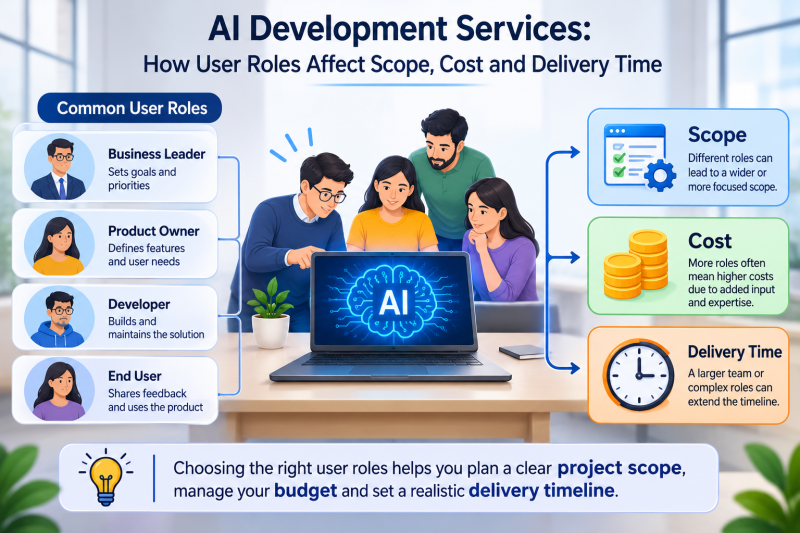
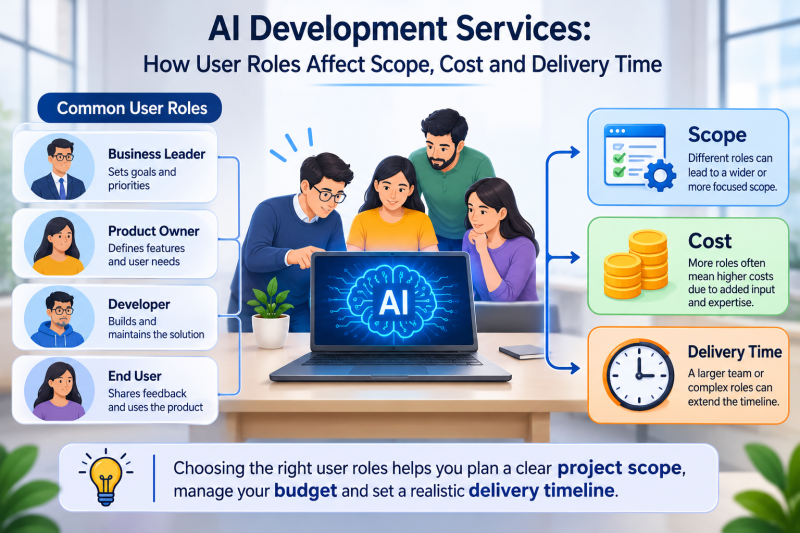
Businesses evaluating AI Development Services should define user roles before estimating project scope and delivery time. This helps identify the required interfaces, permissions, workflows, and testing activities.
Why User Roles Matter in AI Projects
Different users interact with the same AI capability in different ways. A customer may submit a question and receive an answer, while an employee may review that answer, correct it, and forward it to a supervisor.
An administrator may need to manage users, configure knowledge sources, review usage, and monitor system activity.
If these responsibilities are not defined early, additional features may be requested during development. This can affect both the architecture and the project schedule.
Identify the Main User Categories
A typical AI application may include several user categories:
Customers or external users: They access the main AI feature, submit requests, and view permitted results.
Employees or operational users: They review AI outputs, manage assigned tasks, and correct information when needed.
Supervisors or managers: They monitor team activity, review exceptions, and access operational reports.
Administrators: They manage accounts, permissions, configuration, integrations, and system settings.
Not every project needs all these roles. The required categories should reflect the actual business process.
Understand How Roles Change Development Scope
Each additional role can introduce different interface and workflow requirements.
For example, an AI document processing system may need a customer upload screen, an employee review dashboard, and an administrator panel for managing document categories and access permissions.
These interfaces may share the same AI processing service, but they require different functions and testing.
Role-based requirements can affect:
- Login and authentication flows
- Dashboard layouts
- Data visibility
- Approval processes
- Notifications
- Reporting access
- Administrative settings
- Activity history
The development team should document these requirements before finalizing the scope.
Plan Permissions Around Actual Responsibilities
User roles should determine what a person can view and change. A customer may only access their own submitted documents, while an employee may review assigned cases.
A supervisor may have access to team-level reports without being allowed to change system-wide configuration. Administrators may manage permissions but should still have appropriate controls over sensitive information.
The application should also distinguish between viewing an AI result and approving an action based on that result. For example, an employee may review an AI-generated recommendation, but only an authorized manager may approve a business decision.
Understand the Effect on Project Cost
Project cost depends on the number and complexity of role-specific requirements rather than simply the number of user categories.
A basic customer interface may be straightforward, while an administrative role involving detailed access rules, reporting, and approval controls may require more development and testing.
Costs may also increase when different roles require separate interfaces, integrations, or customized workflows.
A useful estimate should therefore list the screens, actions, permissions, and data access rules required for each role.
Understand the Effect on Delivery Time
More user roles can extend delivery time because each role needs implementation and testing. However, the impact depends on how much functionality is shared.
If multiple roles use the same interface with different permissions, development may be simpler than building separate applications for each group.
Testing should include scenarios where users attempt both permitted and restricted actions. It should also check whether one user's data can accidentally appear in another user's account.
Start With Essential Roles in the First Release
Businesses do not always need every possible role in the initial version. A focused release may begin with operational employees and one administrator role before introducing customer-facing access or advanced management dashboards.
This approach allows the business to test the main AI workflow and collect feedback before expanding the application.
However, essential permission boundaries should be designed from the beginning. Adding security controls only after deployment can create avoidable rework.
Conclusion
User roles influence the screens, permissions, workflows, integrations, and testing required in an AI application. Businesses that define these responsibilities early can prepare more realistic budgets and delivery schedules. Starting with essential roles while planning a clear permission structure can also help keep the first release focused without creating unnecessary security gaps.
Source:
Click for the: Full Story
You might like