



 Close Menu
 World
World
 Biography
 Health
 Education
 Business
 Lifestyle
 Sports
 Technology
 Animals
 History
 Food
Food
 Religious
 Startups
 Movies
 Politics
 Fashion
 Covid
Covid
 Diet
Diet
 Fitness
 Marketing
 Travel
 Science
 Reviews
 Social media
 Stories
 Facts
Facts
 Art
Art
 Entertainment
Mark John

Business
Does QuickBooks Tool Hub Work With QuickBooks Online?
 Mark John
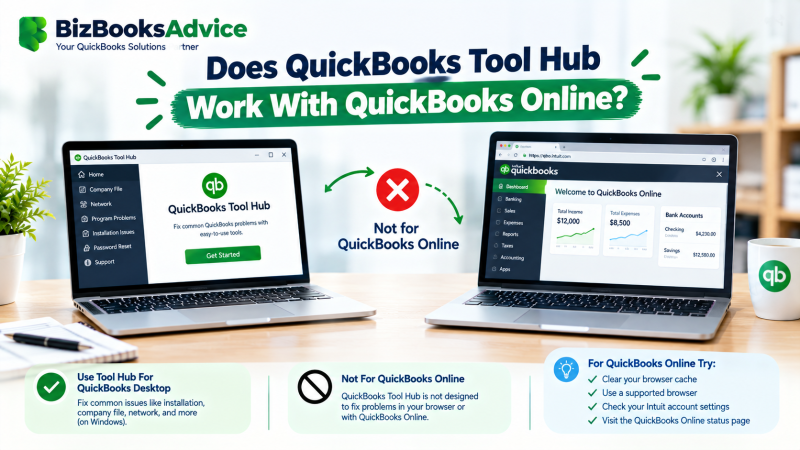
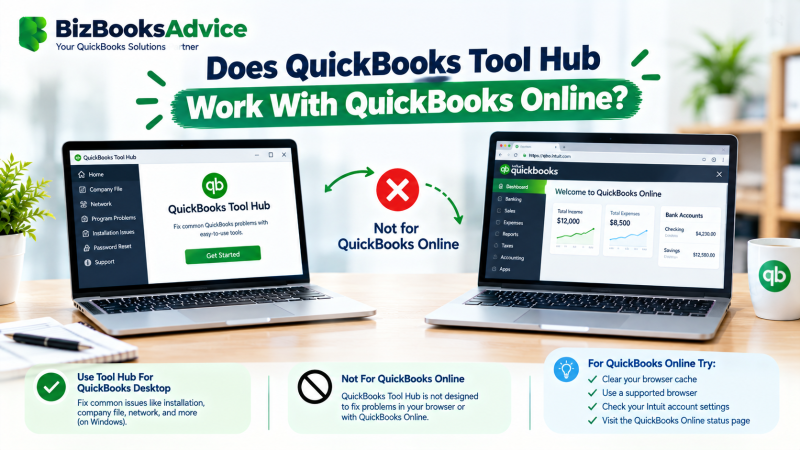
If you’re using QuickBooks Online and running into errors, you may have come across QuickBooks Tool Hub in a search and wondered whether it applies to you. The short answer: QuickBooks Tool Hub does not work with QuickBooks Online in the way most people expect. It’s built for QuickBooks Desktop, and the two products handle errors in fundamentally different ways.
This article explains exactly where QuickBooks Tool Hub fits, where it doesn’t, and what to use instead if your issue is actually a QuickBooks Online problem. If you’ve been asking does QuickBooks Tool Hub work with QuickBooks Online before troubleshooting, this is the scope check to run first.
Why QuickBooks Tool Hub Doesn’t Apply to QuickBooks Online
QuickBooks Tool Hub was built to fix problems specific to QuickBooks Desktop: damaged company files stored on your computer or network, installation errors, password resets tied to a local license, and network issues between computers sharing a company file. None of that applies to QuickBooks Online, because QuickBooks Online doesn’t store a company file on your computer at all — your data lives in Intuit’s cloud, and you access it through a web browser.
This is the core reason QuickBooks Tool Hub does not work with QuickBooks Online the way it works with Desktop: since there’s no local company file to repair, no local network to diagnose, and no desktop installer to fix, most of the Tool Hub’s tabs — Company File Issues, Network Issues, Installation Issues — simply have nothing to act on in a QuickBooks Online setup.
The One Exception: The QuickBooks Online Desktop App
There is a case where Tool Hub crosses paths with QuickBooks Online, and it causes real confusion. Intuit offers a separate QuickBooks Online Desktop app — a downloadable Windows application that gives QuickBooks Online a dedicated window instead of a browser tab. It’s still QuickBooks Online underneath (same cloud data, same subscription), but because it’s an installed local application, a small number of Tool Hub tools (mainly under Program Problems, for things like print or PDF issues) can sometimes help with that specific app. This is the one legitimate overlap, and it’s limited — it does not extend to company file repair, network diagnostics, or anything involving the actual QuickBooks Online data itself.
What to Use Instead for QuickBooks Online Issues
If you’re on QuickBooks Online and running into an error, it generally isn’t the right tool. Instead:
- For login or access issues, use QuickBooks Online’s own account recovery and sign-in troubleshooting rather than any desktop password-reset tool.
- For browser-related problems (pages not loading correctly, features missing, slow performance), clear your browser cache, try an incognito/private window, or try a different supported browser before assuming it’s a QuickBooks problem.
- For data or sync issues, check the QuickBooks Online Audit Log and your bank feed connections rather than looking for a desktop-style repair tool.
- For anything involving the QuickBooks Online Desktop app specifically, Tool Hub’s Program Problems tab may help with print/PDF issues, but data and account issues still route through QuickBooks Online support channels, not the Tool Hub.
If You Use Both QuickBooks Desktop and QuickBooks Online
Some businesses run QuickBooks Desktop for day-to-day bookkeeping and QuickBooks Online for a bookkeeper or accountant’s remote access, or are mid-transition between the two during a conversion. In that situation, it’s still only relevant to the Desktop side of that setup. If an error happens while you’re working in the Desktop file, Tool Hub is the right tool. If the same error happens in your browser while working in QuickBooks Online, it isn’t.
QuickBooks Tool Hub for QuickBooks Desktop vs. Online, in Short
Think of it this way: QuickBooks Tool Hub for QuickBooks Desktop is a direct match, built around the exact files and processes Desktop uses. For QuickBooks Online, it’s the wrong toolkit almost every time, with the one narrow exception of the Online Desktop app covered above.
Why This Matters Before You Troubleshoot
Running Tool Hub tools expecting them to fix a QuickBooks Online problem wastes time and can create confusion about what’s actually broken, since most of its diagnostics are checking for local files and network configurations that simply don’t exist in a QuickBooks Online setup. Confirming which product you’re actually using — Desktop or Online — before troubleshooting saves a step that trips up a lot of users, especially those who’ve recently moved between the two.
When to Get Professional Help
If you’re not sure whether your issue is a QuickBooks Desktop problem that Tool Hub can fix, or a QuickBooks Online issue that needs a different approach entirely, it’s worth getting a second opinion before you spend time on the wrong fix. Call us at +1-866-408-0444 if you’d like help sorting it out.
FAQ
Does QuickBooks Tool Hub work with QuickBooks Online?
No, not in the way most people expect. QuickBooks Tool Hub is built for QuickBooks Desktop issues — company files, local networks, and installations — none of which exist in a browser-based QuickBooks Online setup.
Can I use QuickBooks Tool Hub to fix a QuickBooks Online login problem?
No. Login and access issues in QuickBooks Online are handled through QuickBooks Online’s own account recovery tools, not the Tool Hub.
What about the QuickBooks Online Desktop app — does Tool Hub work with that?
Partially. Because the QuickBooks Online Desktop app is an installed local application, some Tool Hub tools (mainly for print or PDF issues) can help, but it still doesn’t touch your actual QuickBooks Online account data.
People also ask whether QuickBooks Tool Hub works with QuickBooks Online when they’re mid-conversion between the two products — the answer stays the same regardless of timing: it’s a Desktop tool, not an Online one.
How do I know if I’m having a Desktop issue or an Online issue?
If you access QuickBooks through an installed program on your computer with a company file, it’s Desktop. If you access it through a web browser (or the QuickBooks Online Desktop app) with no local company file, it’s Online.
Is QuickBooks Tool Hub for QuickBooks Desktop only, or does any of it apply to Online?
It’s built for QuickBooks Desktop only, with one narrow exception: a few Program Problems tools can help with the separate QuickBooks Online Desktop app, since that’s an installed local program even though the data is still cloud-based.
What should I use instead of QuickBooks Tool Hub for QuickBooks Online problems?
Browser troubleshooting (cache, incognito mode, a different browser), QuickBooks Online’s own account recovery tools, and QuickBooks Online support channels, depending on the specific issue.
Source:
Click for the: Full Story
You might like








You Might Like this