Close Menu
 World
World
 Biography
 Health
 Education
 Business
 Lifestyle
 Sports
 Technology
 Animals
 History
 Food
Food
 Religious
 Startups
 Movies
 Politics
 Fashion
 Covid
Covid
 Diet
Diet
 Fitness
 Marketing
 Travel
 Science
 Reviews
 Social media
 Stories
 Facts
Facts
 Art
Art
 Entertainment
samiksha

Technology
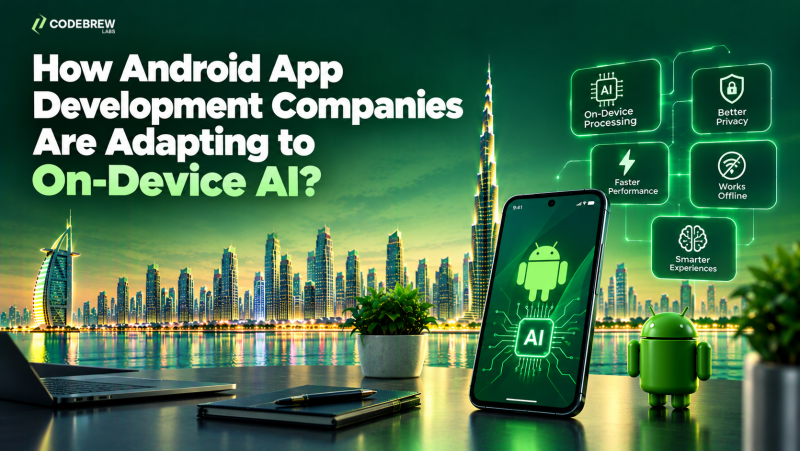
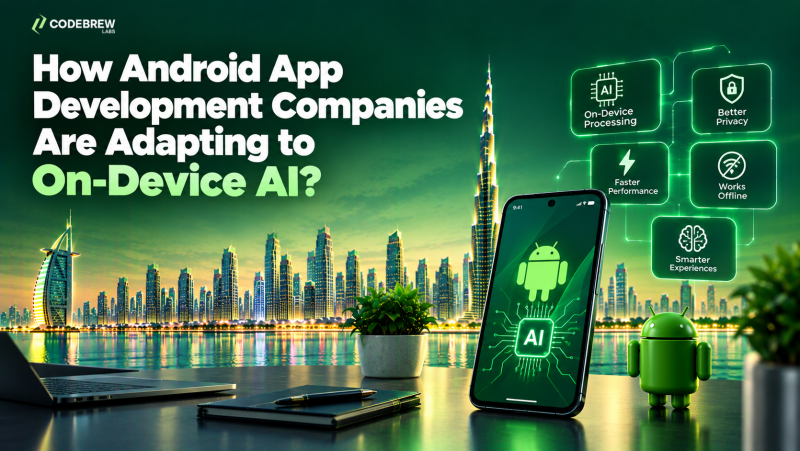
How Android App Development Companies Are Adapting to On-Device AI?
 samiksha
Artificial intelligence is transforming how mobile applications process information, interact with users, and offer personalized features. Traditionally, many AI-powered applications sent requests to remote servers, where models processed the information and returned the results. However, on-device AI presents an alternative by allowing certain machine learning tasks to be executed directly on smartphones or tablets.
For Android applications, this shift opens up new possibilities to enhance responsiveness, enable specific features without an internet connection, and minimize the need to transmit sensitive information to external servers. As mobile hardware and AI development tools continue to advance, businesses are actively exploring how these capabilities can enhance everyday app functionalities.
Android app development companies are adapting by learning how to select appropriate models, optimize performance, manage device limitations, and balance local processing with cloud-based AI. Understanding these changes can help businesses identify practical opportunities for their next mobile application.
1. Understanding What On-Device AI Means
On-device AI refers to artificial intelligence tasks performed locally on a device rather than relying entirely on remote processing. Depending on the model and application, a smartphone can analyze images, recognize speech, classify information, or generate certain types of responses without sending every request to a cloud service.
This differs from traditional cloud-based AI, where information is transmitted to a remote system for processing.
The main differences include:
- Processing location: On-device AI runs locally, while cloud AI relies on remote infrastructure.
- Response time: Local processing can reduce network delays, although performance depends on the device and model.
- Connectivity: Some on-device features can continue working without an internet connection.
- Privacy considerations: Information can remain on the device when the feature is designed to avoid external transmission.
- Hardware requirements: Local AI depends on available memory, processing power, storage, and battery capacity.
On-device AI does not mean every AI feature can run offline. Larger models, frequently updated information, and complex tasks may still require cloud services.
2. Choosing Smaller Models for Android Devices
One of the main challenges in on-device AI is fitting useful models within the limits of mobile hardware. Smartphones have less available memory and energy than many cloud servers, so development teams must consider how much computing power a feature requires.
Android app development companies are exploring smaller models and optimization techniques that can perform specific tasks efficiently.
These approaches may include:
- Selecting compact models designed for mobile use.
- Quantizing models to reduce their memory footprint.
- Using hardware acceleration where supported.
- Limiting model complexity to match the intended task.
- Measuring battery usage, speed, and accuracy on actual devices.
For example, an application that categorizes photographs may not need a large general-purpose language model. A smaller image classification model could perform the task with fewer resources.
The right choice depends on the feature, supported devices, expected accuracy, and performance requirements. Developers must test the complete application rather than relying only on model benchmarks.
3. Using Android's AI Development Tools
Google's Android ecosystem offers tools and frameworks that help developers integrate machine learning capabilities into mobile applications. The appropriate choice depends on whether the application needs image recognition, text processing, generative AI, or another specific capability.
Development teams may evaluate tools such as LiteRT, Google's on-device machine learning runtime, and ML Kit for supported machine learning features. For compatible generative AI use cases, developers may also investigate Google's Gemini Nano and related Android capabilities, subject to device and API availability.
How these tools can fit into development:
- LiteRT: Supports deployment and execution of optimized machine learning models on supported platforms.
- ML Kit: Provides APIs for selected features such as text recognition, image labeling, and barcode scanning.
- Gemini Nano: Enables supported on-device generative AI experiences on compatible devices and through available integrations.
- Native Android development: Allows teams to connect AI features with application interfaces, permissions, storage, and device functionality.
Not every tool works on every device or supports every use case. Developers should verify current compatibility, availability, and requirements before selecting a framework.
4. Making Applications More Responsive
On-device AI can reduce the need to send every request to a remote service. When a model is available locally and the device can handle the task, users may receive results without waiting for a network round trip.
This can be useful for features that need to respond quickly, such as camera assistance, voice commands, or text suggestions.
Consider an application that scans receipts. A local text recognition model can extract text from an image, allowing the application to prepare the information for review without first uploading the image to a server.
Development companies can improve responsiveness by:
- Running suitable tasks locally.
- Processing information in the background where appropriate.
- Avoiding repeated model initialization.
- Managing memory and processing workloads.
- Testing performance on lower-end supported devices.
However, local processing is not automatically faster in every situation. Large models may perform slowly on less capable devices, so developers need to compare local and remote approaches for each feature.
5. Improving Privacy Through Local Processing
Privacy is another reason businesses are investigating on-device AI. If an application can complete a task locally, it may not need to transmit the underlying information to an external service.
This can be relevant for applications that handle personal documents, photographs, voice recordings, or sensitive business information.
Examples of privacy-conscious features include:
- Extracting text from a document on the device.
- Classifying personal photographs without uploading them.
- Processing selected voice commands locally.
- Creating summaries from information stored locally, when supported by the model.
Still, on-device AI does not guarantee complete privacy. Applications may transmit other data through analytics, synchronization, crash reports, or connected services.
Development teams should document what information leaves the device, obtain appropriate consent, protect stored data, and provide clear privacy controls. Businesses must also consider the applicable data protection requirements for their users and industry.
6. Building AI Features That Work Offline
Many mobile applications depend on a stable internet connection. On-device AI can help selected features remain available when users are traveling, working in remote locations, or experiencing poor connectivity.
Potential applications include offline text recognition, image classification, basic language processing, and selected predictive functions.
Examples across different industries:
- Logistics: Recognizing information from delivery documents when connectivity is limited.
- Retail: Scanning product barcodes and retrieving locally available information.
- Field services: Classifying images or accessing downloaded guidance while working on-site.
- Travel: Processing saved information and supporting selected offline assistance features.
- Education: Providing certain learning activities or language tools without continuous connectivity.
Offline functionality still depends on whether the model, required data, and supporting application features are available locally. Tasks requiring live inventory, current prices, or up-to-date external information will generally need connectivity.
Companies must define which functions should work offline and how the application will synchronize changes when a connection becomes available.
7. Combining On-Device AI With Cloud AI
A major development approach is hybrid AI, which combines local processing with cloud-based services. Rather than choosing one approach for the entire application, companies can decide where each task should run.
Simple or privacy-sensitive tasks may be handled locally, while more demanding requests can be sent to a remote model when necessary.
A hybrid application might work like this:
- The user enters a request in the Android app.
- The application checks whether a local model can handle it.
- If the task is suitable, the device processes it locally.
- If additional capabilities are needed, the application sends an appropriate request to a cloud service.
- The result is displayed to the user, with suitable error handling and privacy safeguards.
For example, a business support application could recognize a user's request locally but use a cloud-based service to retrieve current order information or answer a complex question.
This approach requires careful routing logic, network handling, cost management, and consistent user experience across both processing methods.
8. Managing Battery, Memory, and Device Compatibility
Running AI models locally uses device resources. A feature that performs well on a recent flagship smartphone may consume too much memory or battery on an older device.
Android app development companies therefore need to test performance across the intended device range.
Important checks include:
- Memory consumption during model loading and inference.
- Battery usage during repeated tasks.
- Processing speed on supported hardware.
- Application behavior when memory is limited.
- Model download size and storage requirements.
- Compatibility with relevant Android versions and device capabilities.
Teams can also provide fallback options when a device cannot run a particular model. These might include a simpler local feature, an optional cloud request, or a clear explanation that the feature is unavailable.
The goal is to make AI useful without slowing down the rest of the application or excluding too many users.
How Businesses Can Prepare for On-Device AI
Businesses do not need to add AI to every part of an application. A better starting point is identifying a specific user problem and testing whether local processing offers a meaningful advantage.
Before selecting a development partner, consider the following:
- Define the use case: Identify the task AI should improve and how success will be measured.
- Review the data: Determine whether the feature needs personal information, business records, images, or voice input.
- Set device requirements: Decide which devices and Android versions the application must support.
- Test a prototype: Compare accuracy, speed, battery use, and usability before full development.
- Plan for limitations: Decide what happens when the model is unavailable, produces an incorrect result, or needs cloud support.
- Budget for maintenance: Account for model updates, compatibility checks, testing, and possible infrastructure costs.
A development partner should explain both the benefits and limitations of the proposed approach. Clear testing criteria help businesses avoid investing in features that sound impressive but do not improve the product.
Conclusion
On-device AI is creating new opportunities for Android applications by allowing certain tasks to run directly on supported mobile devices. Potential benefits include faster responses, selected offline features, and greater control over how information is processed.
Android app development companies are adapting by optimizing AI models, using mobile AI frameworks, managing hardware limitations, and combining on-device processing with cloud-based services where appropriate.
Code Brew Labs, a Dubai-headquartered technology company with over 13 years of experience, helps businesses explore Android app development, AI solutions, and custom digital products. For businesses planning AI-enabled Android applications, the focus should be on solving real user problems through suitable technology, responsible data handling, and thorough device testing. These considerations can help create useful, scalable mobile applications without adding unnecessary complexity.
Source:
Click for the: Full Story
You might like