Close Menu
 World
World
 Biography
 Health
 Education
 Business
 Lifestyle
 Sports
 Technology
 Animals
 History
 Food
Food
 Religious
 Startups
 Movies
 Politics
 Fashion
 Covid
Covid
 Diet
Diet
 Fitness
 Marketing
 Travel
 Science
 Reviews
 Social media
 Stories
 Facts
Facts
 Art
Art
 Entertainment
Marketing

Technology
PC Setup Guide: How to Build the Right Gaming and Custom PC
 Marketing
A high-performance PC setup is more than a collection of expensive components. The best systems are planned around the workload, performance target, display resolution, software requirements, and future upgrade needs. Whether the goal is competitive gaming, content creation, AI development, or a powerful everyday desktop, the right hardware balance makes a measurable difference.
For gamers, a well-planned gaming PC setup can improve frame rates, responsiveness, and overall experience. For professionals and enthusiasts with specific requirements, working with a custom PC builder provides greater flexibility in selecting the right components.
Start With the Purpose of Your PC Setup
The first step in planning a PC setup is understanding how the system will be used.
A gaming-focused system prioritizes graphics performance and CPU capability, while a workstation may require higher memory capacity, additional storage, or sustained multi-core performance. Similarly, AI and data-intensive workloads can demand powerful GPUs, large memory pools, and fast storage.
Before choosing components, consider:
- Primary applications and workloads
- Target gaming resolution and refresh rate
- Required CPU and GPU performance
- RAM and storage capacity
- Future upgrade plans
- Available desk and room space
- Cooling and noise requirements
This approach helps create a system that delivers useful performance rather than unnecessary specifications.
Building the Right Gaming PC Setup
A modern gaming PC setup should be designed as a complete platform. The PC itself is important, but the monitor, peripherals, cooling, and connectivity also influence the final experience.
Graphics Performance
The graphics card plays a major role in gaming performance. The right GPU depends on whether you are targeting 1080p, 1440p, or 4K gaming, along with the refresh rate of your monitor.
Processor and Memory
The CPU should provide enough performance to support the selected GPU and the games being played. Adequate RAM is also important, particularly for users who run background applications, stream, record gameplay, or multitask while gaming.
Monitor Selection
A powerful PC should be paired with a suitable display. Resolution, refresh rate, response time, and adaptive sync support can significantly affect the gaming experience.
Cooling and Airflow
Sustained gaming places a continuous load on the CPU and GPU. Proper airflow and effective cooling help maintain stable temperatures and consistent performance during extended sessions.
Why Choose a Custom PC Builder?
A custom PC builder allows users to configure a system according to their specific requirements rather than choosing from a fixed set of specifications.
This is particularly useful when building systems for demanding applications or when a buyer has a specific budget. Component selection can be adjusted to prioritize the hardware that matters most for the intended workload.
For example, a gamer may allocate more of the budget to the graphics card, while a professional content creator may require additional CPU cores, RAM, and storage.
A professional custom PC builder can also help ensure:
- Component compatibility
- Balanced CPU and GPU performance
- Suitable power supply capacity
- Efficient cooling
- Upgrade potential
- Proper cable management
- System testing and stability checks
Creating a Complete PC Setup
The best PC setup extends beyond the desktop itself. Consider the environment in which the system will be used.
A clean desk layout can improve comfort and productivity. Proper monitor positioning helps create a better viewing experience, while ergonomic keyboards and mice can make long sessions more comfortable.
For gaming, accessories such as headsets, controllers, high-refresh-rate monitors, and mechanical keyboards can complete the setup. For professional users, multiple displays, colour-accurate monitors, and high-capacity storage may be more valuable.
The ideal setup depends on the user, not a generic specification sheet.
Build Your System With ANT PC
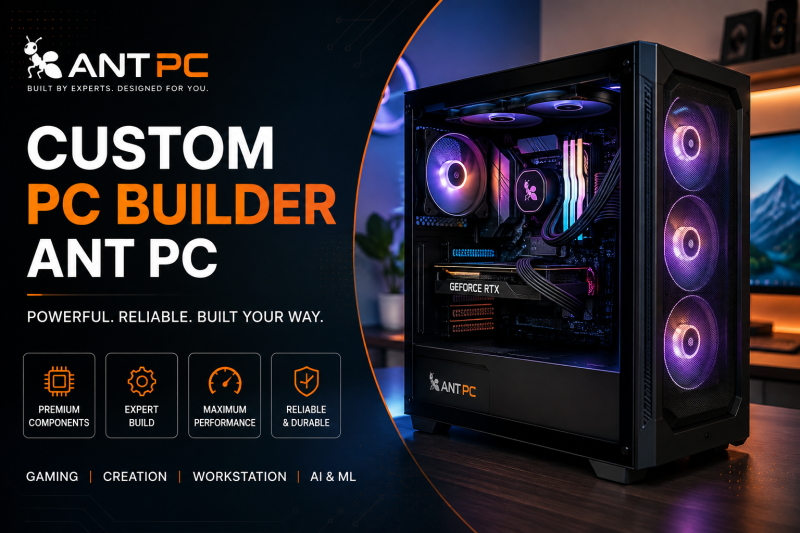
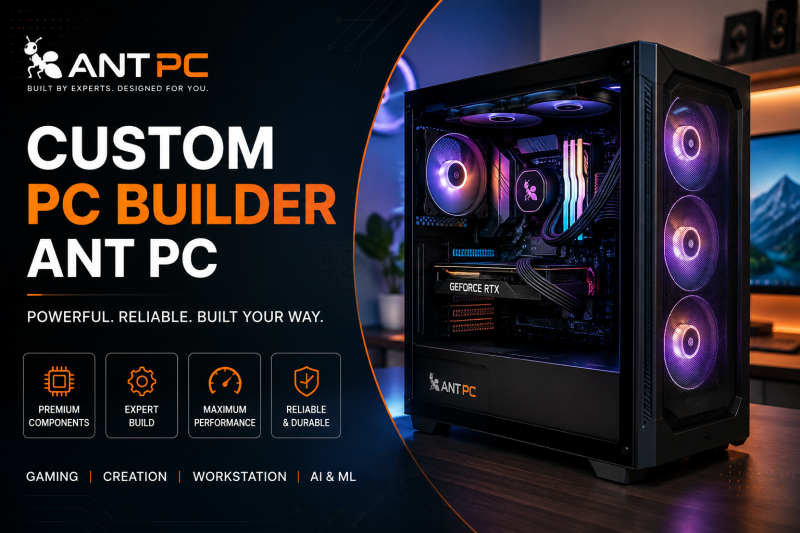
ANT PC offers professionally configured systems for users who want greater control over their hardware. Whether you are planning a complete gaming PC setup, a professional workstation, or a fully customised desktop, the right configuration begins with understanding the workload.
As a specialist custom PC builder, ANT PC helps users select compatible and balanced components based on performance requirements, budget, and future upgrade plans.
From component selection to system assembly and testing, a professionally built system can reduce compatibility concerns and provide a more reliable foundation for demanding workloads.
Conclusion
A powerful PC setup should be designed around how you actually work, play, and create. The same principle applies to a gaming PC setup: performance comes from balance, not simply from selecting the most expensive components.
Working with a reliable custom PC builder makes it easier to create a system tailored to your requirements. With the right planning, component selection, cooling, and upgrade strategy, a custom-built PC can deliver strong performance and long-term value.
Source:
Click for the: Full Story
You might like