Close Menu
 World
World
 Biography
 Health
 Education
 Business
 Lifestyle
 Sports
 Technology
 Animals
 History
 Food
Food
 Religious
 Startups
 Movies
 Politics
 Fashion
 Covid
Covid
 Diet
Diet
 Fitness
 Marketing
 Travel
 Science
 Reviews
 Social media
 Stories
 Facts
Facts
 Art
Art
 Entertainment
Marketing Saad
Technology
QuickBooks Online Integration: How to Connect Your Business Systems
 Marketing Saad
QuickBooks Online can serve as the financial center of a business, but most companies use many other systems to run their day-to-day operations.
Sales may happen in a point-of-sale platform. Ecommerce orders may come from an online store. Customer information may live in a CRM. Payroll is usually processed somewhere else, while payment processors, expense platforms, databases, and operational applications all generate information that eventually affects accounting.
When these systems are disconnected, finance teams often become the bridge between them.
They download reports, clean spreadsheets, manually create accounting entries, reconcile deposits, and investigate differences between operational systems and the books.
A properly designed QuickBooks Online integration changes that process. Instead of repeatedly transferring financial information by hand, businesses can create controlled workflows that move approved activity into QuickBooks while maintaining the accounting rules required by finance.
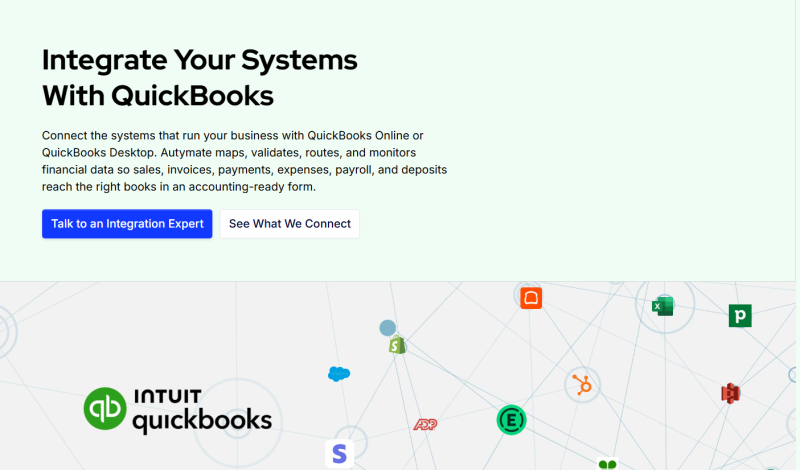
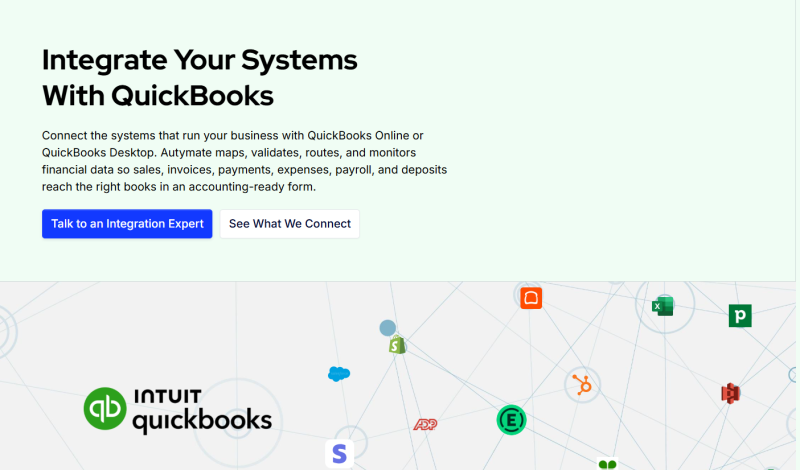
Autymate's current QBO framework is designed around this exact model: connecting POS, ecommerce, CRM, payroll, payments, expenses, databases, and custom applications with QuickBooks Online through mapping, validation, routing, and monitoring.
What Is QuickBooks Online Integration?
QuickBooks Online integration is the connection between QBO and another business system so approved financial or operational information can move through a defined accounting workflow.
That sounds simple, but reliable integration involves more than transferring fields.
Suppose a payment platform sends a $970 bank deposit.
The original customer activity may actually have included $1,000 in gross payments and $30 in processing fees. If the integration simply records $970 as revenue, the deposit may match the bank while the financial activity is represented incorrectly.
A useful integration needs to understand what the data means.
That may require transforming source information, applying accounting mappings, checking required fields, preventing duplicate transactions, choosing the correct QuickBooks company, and verifying the accounting result after the record is created.
Autymate's documented QBO architecture defines integration as a controlled exchange that can include extraction, transformation, mapping, validation, authorization, delivery, monitoring, and recovery.
Why Businesses Integrate QuickBooks Online
The most obvious reason is to reduce repetitive accounting work.
If a transaction has already been approved in another business application, there is often little value in having an employee recreate the same information manually in QuickBooks.
But efficiency is only one benefit.
Integration can also create more consistent accounting because the same approved rules are applied repeatedly. Instead of relying on different employees to remember how sales, fees, taxes, refunds, or expenses should be classified, the workflow can apply established mappings before the information reaches the books.
This becomes increasingly important as transaction volume grows.
A process that takes 30 minutes each day may seem manageable at one location. The same workflow repeated across dozens of companies can consume significant finance-team capacity.
QBO integration helps businesses move from repeated manual procedures toward standardized financial workflows.
Connect POS Systems With QuickBooks Online
POS integration is one of the most common QuickBooks automation use cases.
A restaurant or retailer may generate sales, taxes, tips, discounts, refunds, gift cards, payment activity, fees, and deposits every day.
Without integration, accounting teams may need to rebuild that information from POS reports.
A POS-to-QBO workflow can collect approved activity and transform it into the accounting structure required by the business.
Revenue can be assigned to the appropriate accounts. Taxes and other liabilities can remain separate from income. Refunds and fees can receive their own accounting treatment. Payment activity can also retain enough detail to support deposit reconciliation.
Autymate's QBO integration model includes POS workflows covering sales, tax, tips, discounts, refunds, tenders, gift cards, fees, and deposits.
Businesses dealing specifically with POS accounting can also explore POS to Accounting Integration.
Connect Ecommerce With QuickBooks Online
Ecommerce accounting introduces a different set of challenges.
The value of an order may not match the payment settlement that eventually reaches the bank.
An order can contain product revenue, shipping charges, sales tax, discounts, and payment information. Later, refunds or marketplace fees may change the financial result.
When several orders are combined into one payout, reconciliation becomes even more complicated.
A QuickBooks Online integration can create a controlled connection between ecommerce activity and the books.
Instead of treating every payout as revenue, businesses can preserve important distinctions between sales, tax, refunds, fees, payments, and settlements.
Autymate's QBO architecture includes ecommerce workflows covering orders, shipping, tax, discounts, refunds, marketplace fees, and payouts.
The exact accounting records created should depend on the business's approved accounting process, QuickBooks configuration, available system access, and reporting requirements.
Connect CRM and Sales Workflows With QBO
Customer and sales information often begins in CRM software.
Once a deal reaches an approved stage, finance may need to create the customer, generate an invoice, record a payment, or update another accounting record.
Without integration, sales and finance teams may maintain duplicate versions of the same information.
A CRM-to-QBO workflow can create a cleaner handoff.
The integration might create or update an approved customer and invoice when the appropriate sales event occurs. In some designs, selected payment or balance information can also flow back to the CRM when business users need financial status.
The important design decision is ownership.
Businesses should determine which system owns customer data, which system owns financial data, and under what circumstances information should be updated.
Integration should create clarity between systems rather than allowing both applications to overwrite one another without defined rules.
Automate Payment Reconciliation
Payment integration can solve one of the most time-consuming accounting problems: explaining why gross customer payments differ from the bank deposit.
Payment processors may deduct fees, process refunds, apply chargebacks, or make settlement adjustments before funds reach the bank.
A strong integration can keep those amounts identifiable instead of recording only the net deposit.
This allows accounting teams to trace the relationship between customer activity, processor activity, and cash received.
For high-volume businesses, the difference can be substantial.
Instead of manually investigating every settlement, finance can work from structured accounting records designed around reconciliation.
Connect Payroll and Expenses
Payroll and employee expenses are also common integration candidates.
Payroll may contain wages, taxes, benefits, employer expenses, deductions, and liabilities. Expense systems may contain approved vendor bills, receipts, reimbursements, or card transactions.
Re-entering these transactions creates unnecessary duplication and introduces opportunities for inconsistent coding.
With integration, approved information can be transformed into the accounting records required by the business.
For organizations with departments, locations, classes, projects, or multiple companies, the integration may also need to route costs to the appropriate accounting dimension.
Autymate's current QBO framework includes payroll, bills, expenses, reimbursements, and related accounting workflows when supported by the connected systems and approved scope.
QuickBooks Integration Should Include Validation
Moving data quickly is not enough.
The information also needs to be correct.
Before creating a QuickBooks record, a reliable workflow should verify important information such as mappings, dates, required values, totals, destination companies, and duplicate references.
Duplicate prevention is particularly important.
If an integration encounters an error and automatically retries the same transaction without a stable source identifier, the result could be two accounting records for one business event.
Validation and controlled retry logic help prevent those problems.
Autymate's implementation guidance recommends documenting account and field mappings, validating representative transactions, testing refunds and fees, checking duplicate prevention, and confirming the final records inside QuickBooks rather than relying only on a successful API response.
Decide Between Summary and Transaction-Level Accounting
Another important decision is how much detail should reach QuickBooks.
More data is not automatically better.
A retailer processing thousands of transactions may not need every individual sale posted into QBO if finance primarily uses daily accounting summaries.
On the other hand, a business that manages customer balances or requires ticket-level auditability may need transaction-level records.
The right approach depends on the accounting outcome.
Autymate's QBO framework recognizes both options: daily summaries can keep the ledger easier to manage, while transaction-level records support more detailed balances and analysis.
The decision should be made before implementation rather than after large volumes of unnecessary records have already entered QuickBooks.
Do You Need a Custom QuickBooks Online Integration?
Not necessarily.
If a standard connector already supports the systems, records, mappings, and accounting controls you need, using it may be the simplest solution.
Custom integration becomes more relevant when the business has unusual accounting rules, multiple QuickBooks companies, proprietary systems, complex settlement requirements, several sources of financial activity, or a need for more advanced monitoring.
The goal should not be customization for its own sake.
The best QuickBooks Online integration is the simplest workflow that reliably produces the accounting outcome your business requires.
Build a QuickBooks Workflow You Can Trust
QuickBooks Online integration can connect finance with the systems where business activity actually happens.
POS sales can become accounting-ready daily records. Ecommerce activity can be connected with payments and settlements. CRM events can trigger approved financial workflows. Payroll and expense information can reach the appropriate accounts without repeated manual entry.
But successful integration requires more than connecting two APIs.
The workflow needs clear accounting outcomes, appropriate mapping, validation, duplicate prevention, reconciliation, monitoring, and a plan for handling failures.
Autymate helps businesses define those workflows and connect supported business systems with QuickBooks while maintaining the controls finance needs.
If your team already uses QuickBooks Online but still spends significant time exporting reports, correcting spreadsheets, rebuilding deposits, or entering the same information in multiple systems, improving the integration layer may be the next logical step.
Source:
Click for the: Full Story
You might like