Close Menu
 World
World
 Biography
 Health
 Education
 Business
 Lifestyle
 Sports
 Technology
 Animals
 History
 Food
Food
 Religious
 Startups
 Movies
 Politics
 Fashion
 Covid
Covid
 Diet
Diet
 Fitness
 Marketing
 Travel
 Science
 Reviews
 Social media
 Stories
 Facts
Facts
 Art
Art
 Entertainment
Video Gpt

Technology
How to Create Anime Videos Using AI: Step-by-Step Anime AI Video Generation
 Video Gpt
Somewhere between a blank text box and a finished anime scene, something almost magical happens: a few typed sentences turn into a character, a setting, a mood, and motion, all without a single frame drawn by hand. A few years ago, that jump required years of animation training. Today it takes a script, a style choice, and a couple of clicks.
Why Anime Style Is Booming Online
Anime has moved far beyond its original niche audience; it now dominates trends across YouTube, TikTok, and Instagram because the art style reads instantly, even in a fast-scrolling feed. Bold expressions, dynamic motion, and vivid color palettes grab attention in a way flat, realistic footage often can't. This surge in demand is exactly what's driving so much interest in creation video anime content, especially among creators who have zero background in illustration or animation software.
What You Actually Need to Get Started
Unlike traditional animation, getting into anime content today doesn't require expensive software or a steep learning curve. Here's the short list:
- A clear idea or short script
- Access to an AI video generator with anime style options
- A sense of pacing, even a great visual style falls flat if the timing feels off
- A platform to publish on, whether that's YouTube, TikTok, or Instagram
That's it. No tablet, no frame-by-frame drawing, no rendering farm.
The Step-by-Step Process
Once you understand the basic building blocks, the actual workflow is refreshingly simple. Here's exactly how to generate anime AI videos from scratch:
- Write your script first: even two or three sentences describing the scene, characters, and mood
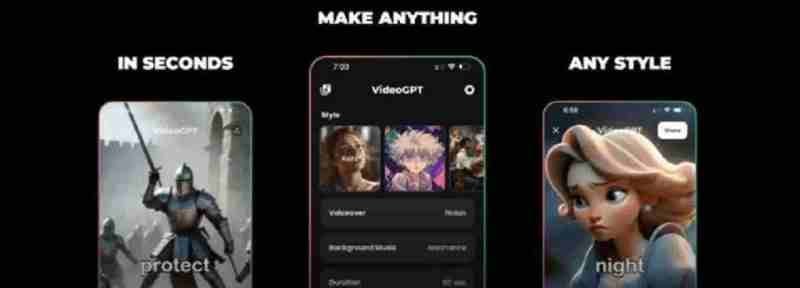
- Pick your anime style: options usually range from soft, pastel aesthetics to bold, high-contrast action styles
- Generate the base video: the AI builds scenes, character motion, and transitions from your script
- Add voiceover narration: natural-sounding narration brings dialogue or storytelling to life
- Layer in music: matching the soundtrack to the scene's energy makes a huge difference in how polished the final clip feels
- Review and refine: watch the full clip before publishing and adjust pacing if any scene drags
Common Mistakes Beginners Make
A lot of first attempts at creation video anime projects fall flat for avoidable reasons. Watch out for these:
- Scripts that are too vague, leaving the AI too much to guess
- Skipping voiceover entirely, which makes videos feel flat or unfinished
- Ignoring pacing and rushing through emotional or dramatic beats
- Using the same style for every video instead of matching style to story tone
Content Ideas Worth Trying First
If you're not sure where to start, these formats tend to perform well and are beginner-friendly:
- Short character backstories
- "What if" alternate versions of popular story tropes
- Anime-style recaps of trending topics
- Motivational messages narrated by an anime character
- Quick fan-style reimaginings of classic scenes
Turning a Skill Into a Habit
The creators who improve fastest treat early attempts at how to generate anime AI videos as practice reps, not finished products. Publishing consistently, even before every video feels perfect, teaches you more about pacing, style, and audience response than any tutorial can.
Conclusion
Anime video creation used to be a specialized skill reserved for trained animators. Now it's a repeatable process anyone can learn in an afternoon. Start with one simple script, publish it, and let each new video sharpen the process a little more than the last.
Source:
Click for the: Full Story
You might like