Close Menu
 World
World
 Biography
 Health
 Education
 Business
 Lifestyle
 Sports
 Technology
 Animals
 History
 Food
Food
 Religious
 Startups
 Movies
 Politics
 Fashion
 Covid
Covid
 Diet
Diet
 Fitness
 Marketing
 Travel
 Science
 Reviews
 Social media
 Stories
 Facts
Facts
 Art
Art
 Entertainment
Image Optimizer Pro

Technology
Why Webflow Designers Should Think About Image Optimization Earlier
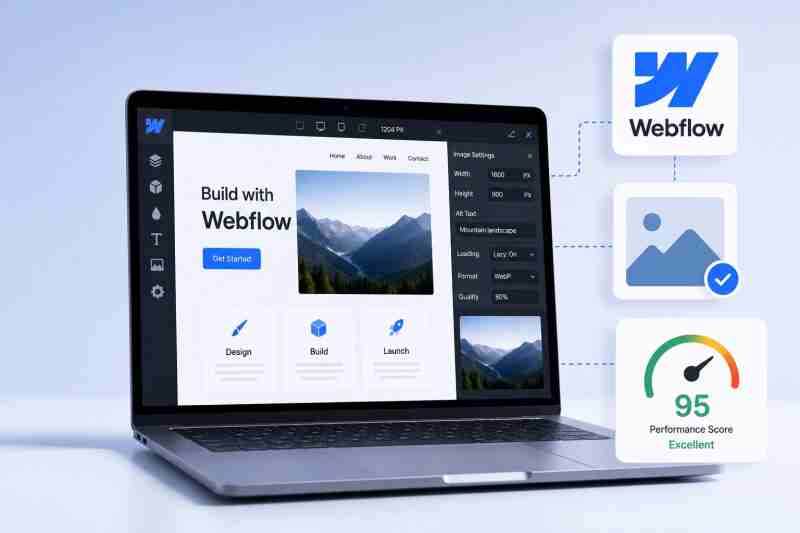 Image Optimizer Pro
Webflow gives designers tremendous creative freedom. From visually rich landing pages to portfolio websites and ecommerce stores, it's possible to build experiences that look polished and professional without relying heavily on custom code.
However, there's one area many designers overlook until the final stages of a project: image optimization. The problem is that performance-related issues caused by images often begin long before a website goes live. That's why Webflow image optimization should be considered early in the design process rather than treated as a last-minute task before launch.
Bringing image optimization into the workflow early makes it easier to avoid unexpected performance issues later in the project.
Why Waiting Until Launch Creates Problems
A common workflow is to focus entirely on design first and worry about optimization later. At first glance, this approach seems efficient. Designers can move quickly, build pages, gather feedback, and complete the visual aspects of a project without interruption.
However, problems often appear when the website is nearly finished. Large image files may be spread across multiple pages. Different image dimensions may create inconsistencies.
Performance testing may reveal that some pages are heavier than expected. Addressing these issues late in the project often requires revisiting sections that were already considered complete. What could have been a simple adjustment early on can turn into a time-consuming cleanup process before launch.
How Early Image Decisions Shape Webflow Performance
Many website performance outcomes are influenced by decisions made during the design phase. The images selected for hero sections, galleries, blog posts, product pages, and background visuals all contribute to the overall experience visitors receive when they load a page.
When designers use unnecessarily large image files throughout a project, those files can accumulate quickly across the website. By the time performance testing begins, there may be dozens of assets that need attention.
Thinking about image optimization early helps prevent this situation. Instead of reviewing and correcting images at the end, designers can establish better habits from the beginning. This creates a workflow where performance becomes part of the project rather than an issue that needs fixing later.
Why Performance Should Be Part of the Design Process
Good web design is not only about appearance. A website can look impressive in a design review and still create a frustrating experience if pages take longer than expected to load. Visitors don't separate visual design from performance. They experience both at the same time.
That's why performance deserves a place in the design process itself. When performance considerations are included from the start, designers can make more informed decisions about visual assets, layouts, and content placement.
These decisions often become easier to manage than making significant adjustments once the website is already built. Treating performance as part of the design strategy helps create websites that feel as good as they look.
Benefits of Early Webflow Image Optimization
For Webflow designers, thinking about image optimization early offers several practical advantages:
Catch asset issues sooner
Designers can identify image-related problems before they spread across multiple pages and become harder to fix. Addressing these issues early is often much easier than tracking them down during final testing.
Reduce unnecessary rework
Teams spend less time revisiting completed designs to replace or adjust images late in the project. This helps maintain momentum and allows designers to focus on improving the overall user experience.
Make performance easier to manage
Performance becomes a consideration throughout the design process instead of a last-minute concern before launch. As a result, designers can make more informed decisions about visual assets from the start.
Create a more predictable launch process
Addressing image optimization early helps reduce surprises and keeps launch preparation on track. Fewer last-minute fixes often lead to a smoother and less stressful handoff process.
Deliver a better client experience
Clients receive a smoother final website experience without avoidable image-related issues affecting the finished project. It also helps reinforce confidence in the quality and professionalism of the work delivered.
Simple preparation steps can also help. For example, using an image resizer before uploading assets can ensure images are closer to their intended display dimensions, making them easier to manage throughout the design process.
The Hidden Cost of Fixing Images at the End
Delaying image optimization often creates extra work during one of the busiest stages of a project.
Some of the most common challenges include:
- Replacing oversized images across multiple pages.
- Rechecking layouts after image adjustments are made.
- Spending additional time testing pages before launch.
- Managing unexpected revisions when performance issues are discovered late.
- Extending launch preparation with tasks that could have been handled earlier.
When image optimization is considered from the beginning, designers can avoid much of this last-minute effort and keep projects moving forward more smoothly.
Conclusion
Webflow designers invest significant effort into creating websites that are visually engaging and user-friendly. However, waiting until launch to think about image optimization can introduce avoidable challenges that affect both workflow and website performance.
Making Webflow image optimization part of the design process from the beginning helps reduce rework, improve project efficiency, and support a better experience for visitors.
The goal isn't to make design more complicated. It's to make smarter decisions earlier. When image optimization becomes part of the workflow instead of an afterthought, designers can spend less time fixing problems and more time creating great websites.
Frequently Asked Questions
Why should Webflow designers think about image optimization early?
Considering image optimization early helps prevent last-minute revisions, reduces unnecessary rework, and makes it easier to build websites with performance in mind from the start.
What happens if image optimization is left until the end of a project?
Designers may need to replace oversized files, adjust image dimensions, retest pages, and spend additional time resolving issues before launch.
Does image optimization affect website performance?
Images are often among the largest assets on a webpage. Managing them effectively can help create a smoother browsing experience for visitors.
How can designers prepare images before uploading them to Webflow?
Designers can review image dimensions, organize assets in advance, and use tools such as an image resizer when appropriate to match display requirements.
Is Webflow image optimization only important for large websites?
No. Websites of all sizes can benefit from thoughtful image preparation because performance affects every visitor's experience.
Can image optimization be part of a regular design workflow?
Yes. Many designers incorporate image preparation into their workflow so that performance considerations are addressed throughout the project rather than only before launch.
Source:
Click for the: Full Story
You might like